Cellar
The list beside the wall
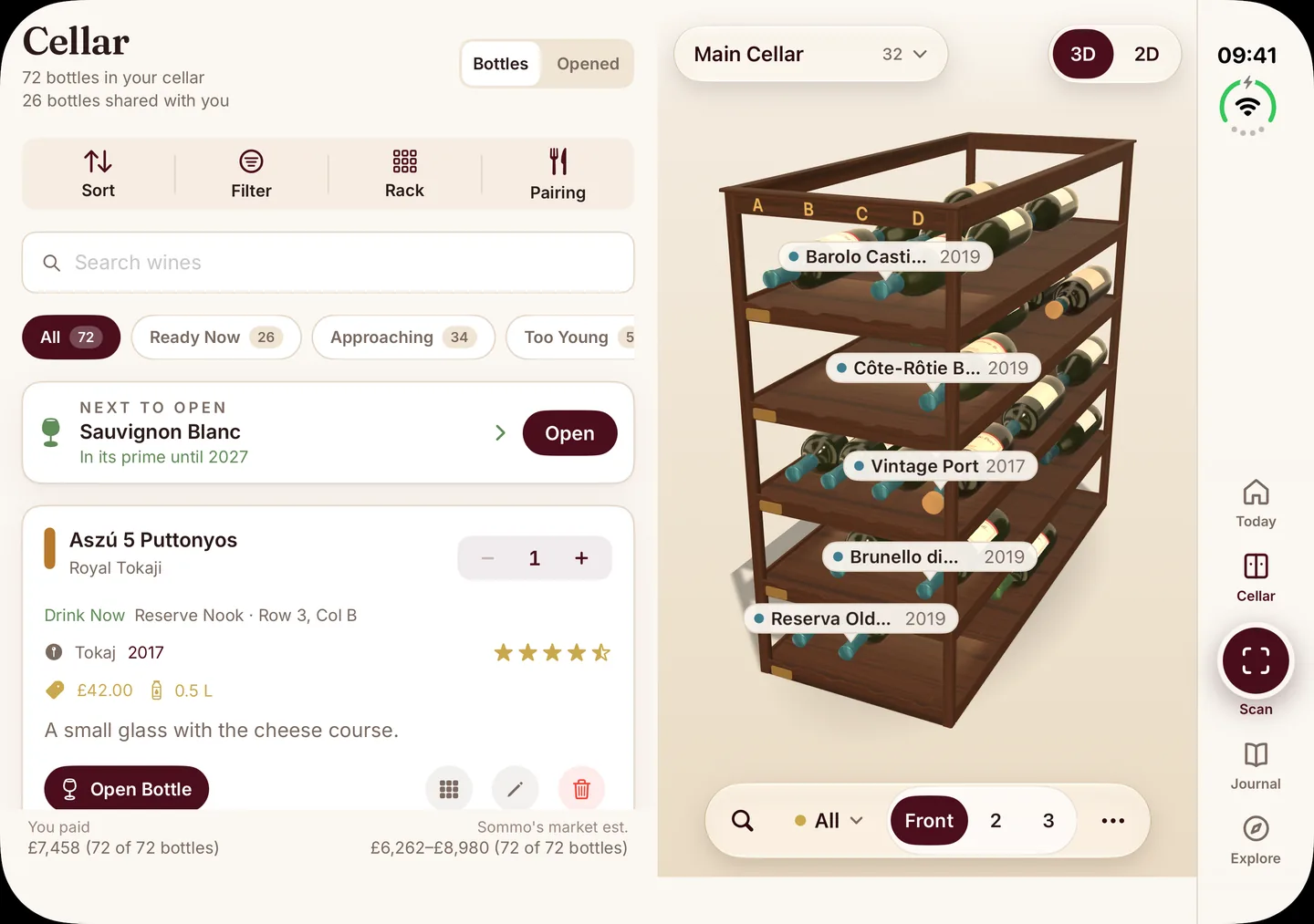
Your bottle list in one column, with search, filters and the next bottle to open. The 3D wine wall stays in the other, so you can see where each bottle sits.
The AI wine scanner, 3D cellar, tasting journal and WSET study tools, in the same App Store app as iPhone and iPad. Closed, it is a phone. Unfolded, three key screens open into two columns.

The same download as iPhone and iPad. On another device? See every platform.
Sommo for iPhone Duo is the same native SwiftUI app as on iPhone and iPad. Closed, it runs on the outer display like any iPhone. Unfold it and three screens move to two columns, so a list and the thing you are reading sit side by side.
Cellar
Your bottle list in one column, with search, filters and the next bottle to open. The 3D wine wall stays in the other, so you can see where each bottle sits.
Journal
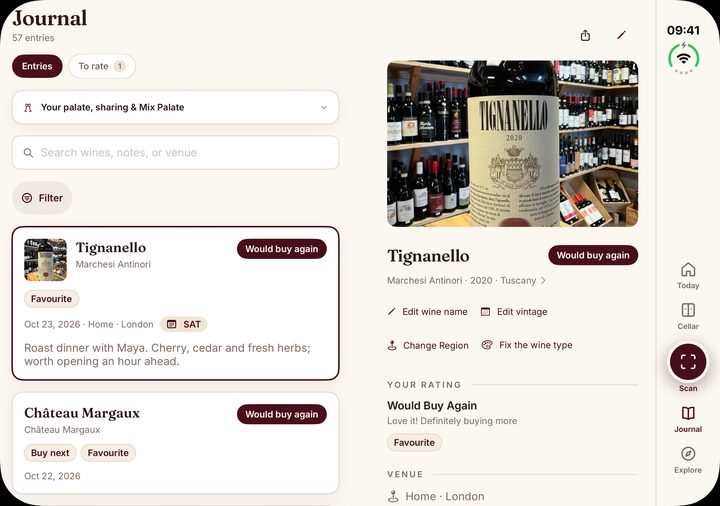
Scroll your tasting history on one side and read the entry you picked on the other: the bottle photo, your rating, the venue and your notes.
Explore
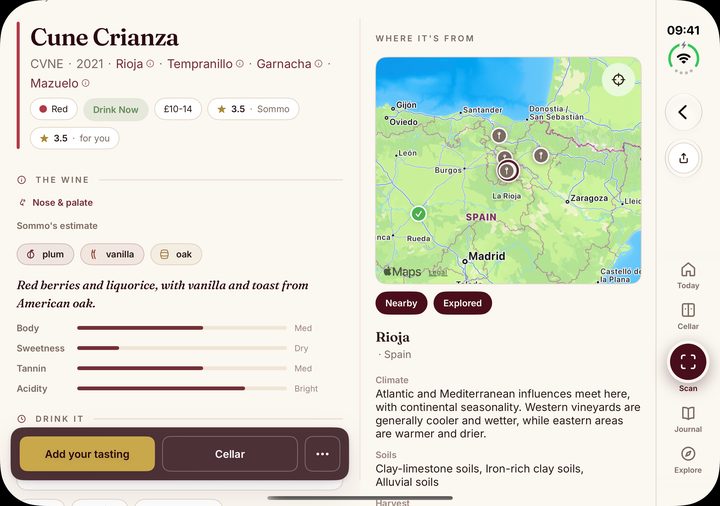
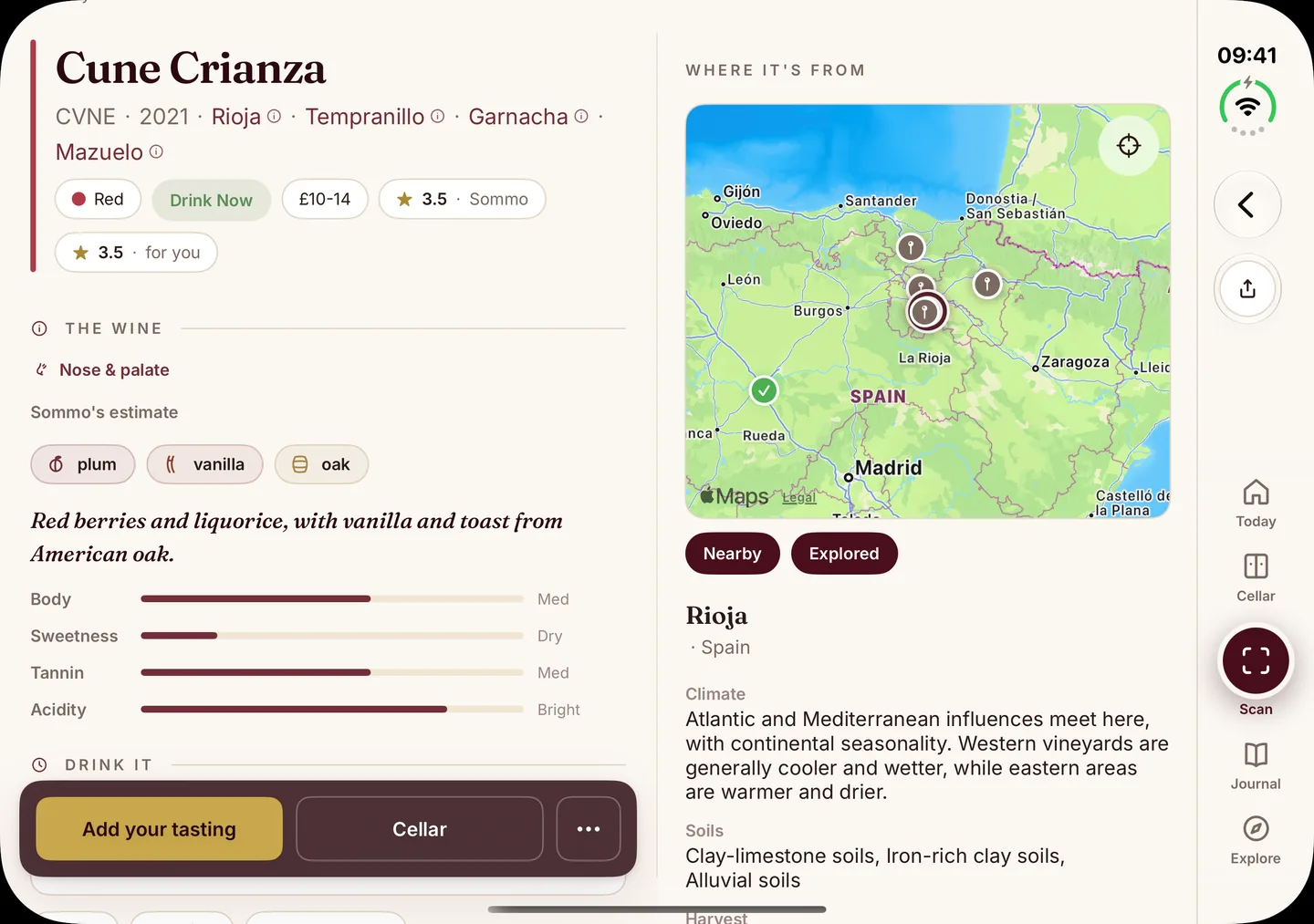
Open a wine and its details sit beside a map of the region it comes from, with the climate and soils underneath. The bottle and the place read together.
Yes. Sommo is iPhone Duo ready from version 2.1.8, in the same App Store app as iPhone and iPad. Closed, it runs on the outer display like any iPhone. Unfolded, three screens move to two columns: the cellar list beside the 3D wine wall, journal entries beside their history, and wine details beside a map of the region. It is free to download; Premium is $4.99 a month or $29.99 a year.
Sommo does not switch apps or modes when you open the device. It is one app that reads the room it is given.
Closed, iPhone Duo is a phone, and Sommo behaves exactly as it does on any iPhone. The tabs are the same: Today, Cellar, Scan, Journal and Explore. Scan a label at the shop, check what is ready to drink, or rate a glass at the table without unfolding anything.
Open the device and Sommo gets a much wider canvas. On three screens it uses that width for a second column, so you stop going back and forth between a list and a detail page. Everywhere else, the same screens simply have more room.
Nothing restarts and nothing is lost when you fold or unfold. Your cellar, journal and study progress are the same data in both states.
These are the layouts built for the unfolded display. We name only these three, because they are the ones that change shape.
The left column is your bottle list: search, sort, filters by readiness (Ready Now, Approaching, Too Young) and the next bottle worth opening. The right column is the 3D wine wall, with bottles in their slots and glass coloured by wine type. Find a bottle in the list and its place on the rack is already in view.
The cellar is a Premium feature, on iPhone Duo as everywhere else.
Your tasting journal history runs down one side, with search and filters for wines, notes and venues. Pick an entry and it opens on the other side: the bottle photo, the producer and vintage, your rating, the venue and what you wrote. Reading back through a year of bottles becomes a scroll, not a series of taps.
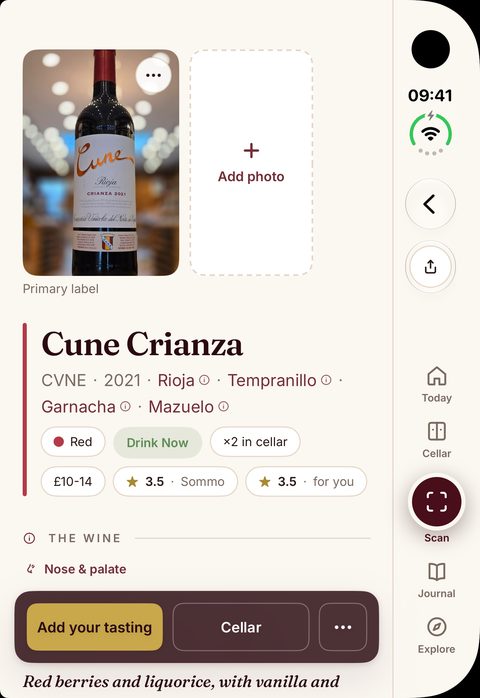
Open a wine and its details sit on the left: grapes, Sommo's aroma estimate, structure and when to drink it. On the right, Where it's from shows the region on the wine map, with its climate and soils below. A Rioja reads beside Rioja.
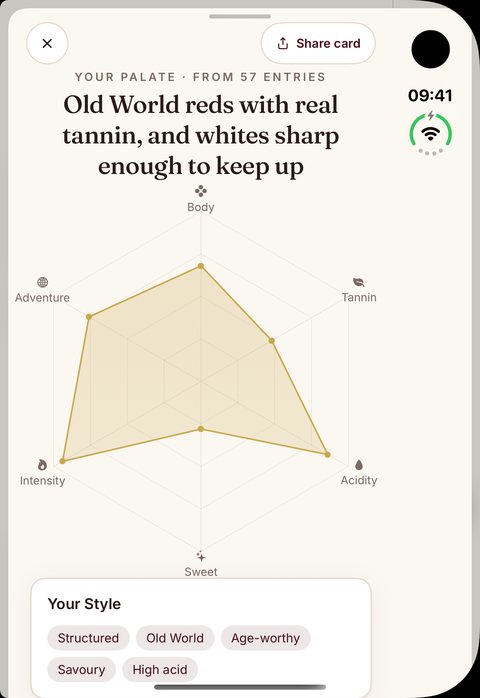
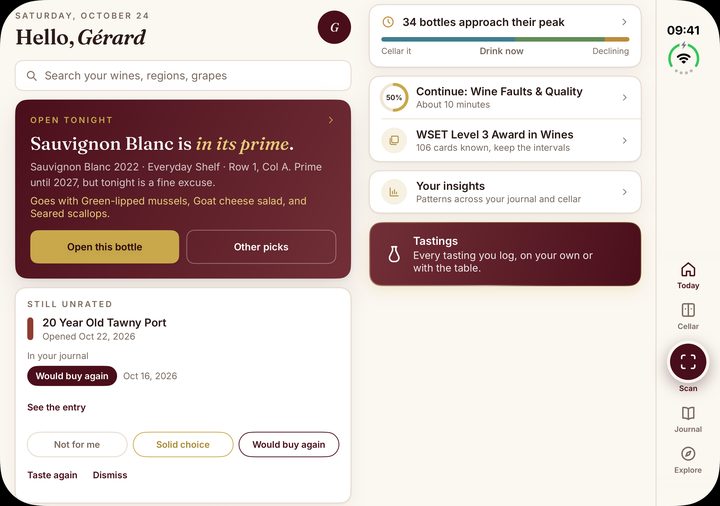
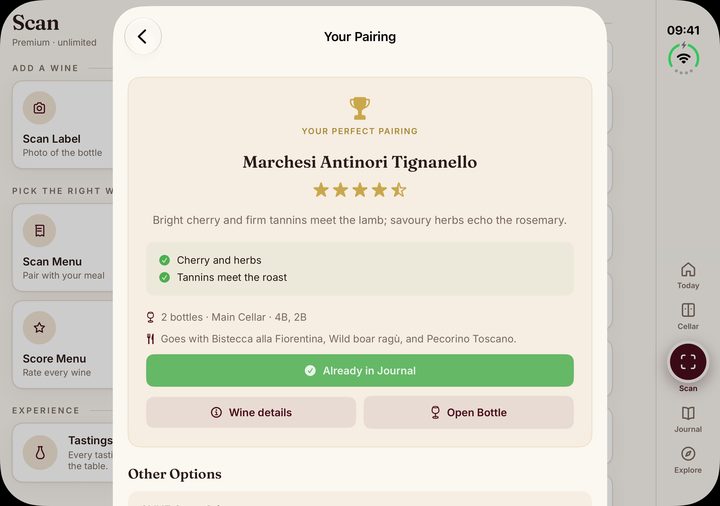
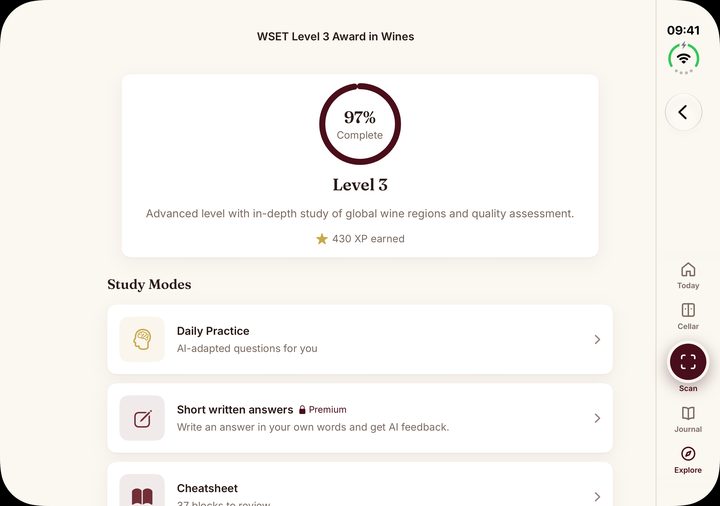
The rest of Sommo runs on the unfolded display too: Today, AI food pairing from your cellar, Taste DNA, wine lists and WSET study. They use the larger screen, but they are the same screens you know from iPhone and iPad, not separate iPhone Duo designs. The gallery above shows several of them on the device.
Study is a good fit for the inner display. WSET flashcards, mock exams and typed answers have space to breathe, and Level 1 is free.
There is no separate iPhone Duo app to find or buy. You install Sommo once from the App Store, and the same app runs on iPhone, iPhone Duo and iPad. Your account, cellar, journal, study progress and Premium come with you, and they are in the browser at web.sommo.app on the same account.
The roomier layouts help on iPad as well, where Sommo is optimised for the larger screen. More on Sommo for iPhone and iPad.
Sommo is free to download. The free tier includes five lifetime AI label scans, the tasting journal with 30 days of history, the interactive wine map and WSET Level 1 exam prep.
Premium is $4.99 a month, or $29.99 a year ($2.50 a month billed yearly). It adds unlimited scans, the cellar with the 3D wine wall and AI food pairing, WSET Levels 2 to 4 with AI-graded answers, and lifetime journal history. One subscription covers every platform. The iPhone Duo layouts themselves come with the app on every plan. Full details on pricing.
We keep this page precise. iPhone Duo support is part of the iOS app, and the two-column claims are limited to the three layouts above. Other screens running on the larger display are Sommo on iPhone Duo, not features made only for it.
Sommo for Android, HarmonyOS and the web have their own phone, tablet and browser layouts. This page makes no claim about them on folding devices.
Download Sommo free on the App Store. One app for iPhone, iPhone Duo and iPad, with optional Premium at $4.99 a month.

