The complete guide to Sommo
Every Sommo feature in one place: wine list and shelf picks, journal, cellar and drinking windows, WSET study, import, platforms, and free vs Premium.
Last checked: 2 November 2026
Sommo is a wine app for iPhone, iPad, Android and HarmonyOS phones, and for the web at web.sommo.app. Photograph a wine list and Scan Menu suggests up to three picks: the best pairing, the best value and a splurge, shaped by your recent journal ratings. With Premium, Score Menu gives every wine it reads on the list a quality score. At a shop, tell Sommo the occasion and it picks up to three bottles from the shelf. Keep a tasting journal, and with Premium run a cellar that tracks when each bottle is ready. Free accounts get 5 lifetime AI scans per device, shared across label, menu and shelf scans.
Contents
- What is Sommo?
- Scan a wine list: Scan Menu and Score Menu
- Scan a shop shelf: Scan Shelf
- Scan a label
- Keep a wine journal
- Run your cellar
- Bring your wines with you: import
- Explore regions: the wine map
- Share and taste together: Mix Palate and Sharing Party
- Study for WSET
- Free vs Premium
- Where Sommo works
- Who Sommo is for
- Privacy
- Frequently asked questions
- Go further
- What changed
What is Sommo?
Sommo helps you choose a wine, remember what you thought of it and look after the bottles you keep. It runs on a proprietary wine-tuned AI and a hand-maintained wine library, and every feature below draws on the same account and the same tasting history. Start with whatever is in front of you: a wine list, a shop shelf or a single bottle. If you want to know what happens behind the scan, how Sommo works explains the thinking.
Scan a wine list: Scan Menu and Score Menu
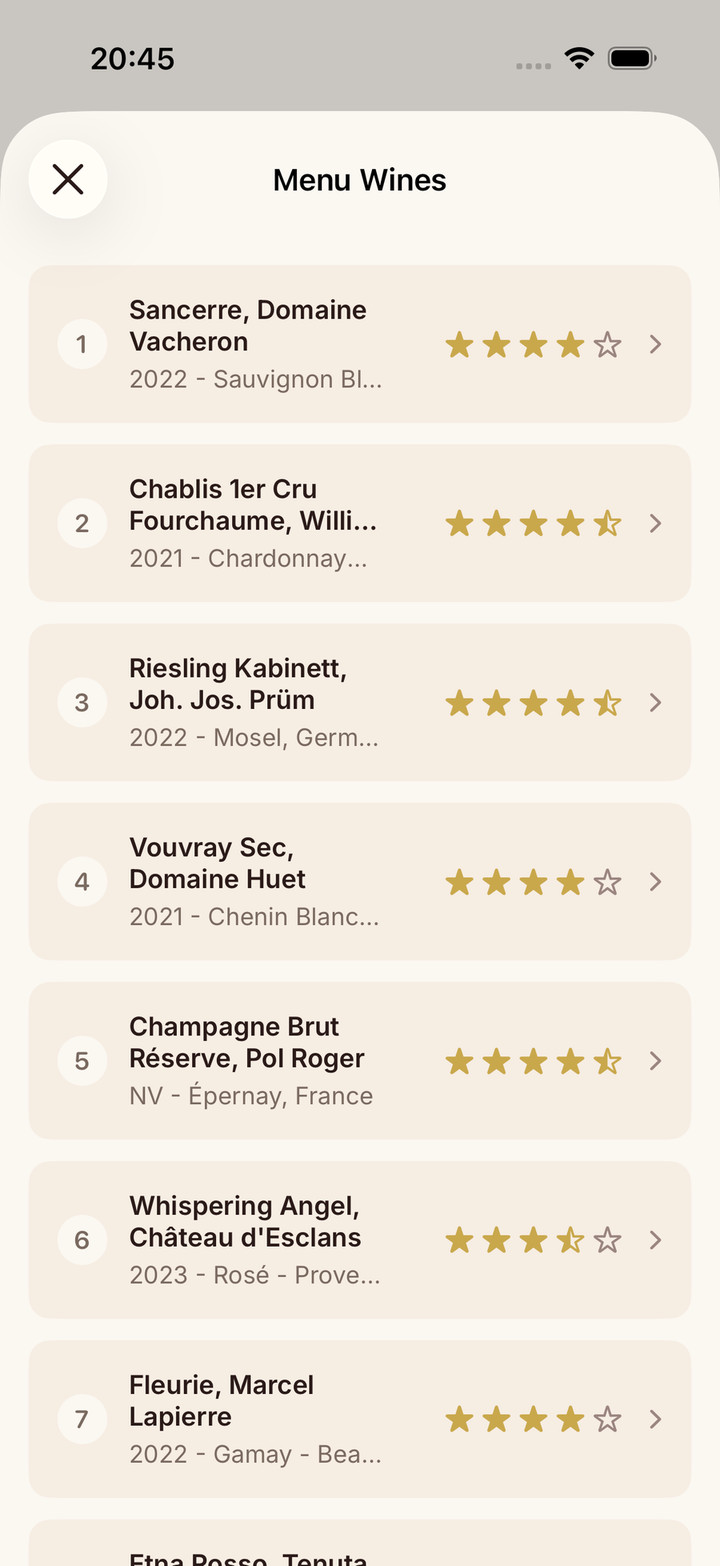
At a restaurant, Scan Menu and Score Menu help you order from the wine list. Photograph a wine list and Scan Menu suggests up to three picks: the best pairing, the best value and a splurge, shaped by your recent journal ratings. With Premium, Score Menu gives every wine it reads on the list a quality score, so you can judge the rest of the list too.
Free or Premium: Scan Menu uses the 5 free scans; Score Menu is Premium and does not use scan credits.

Scan a shop shelf: Scan Shelf
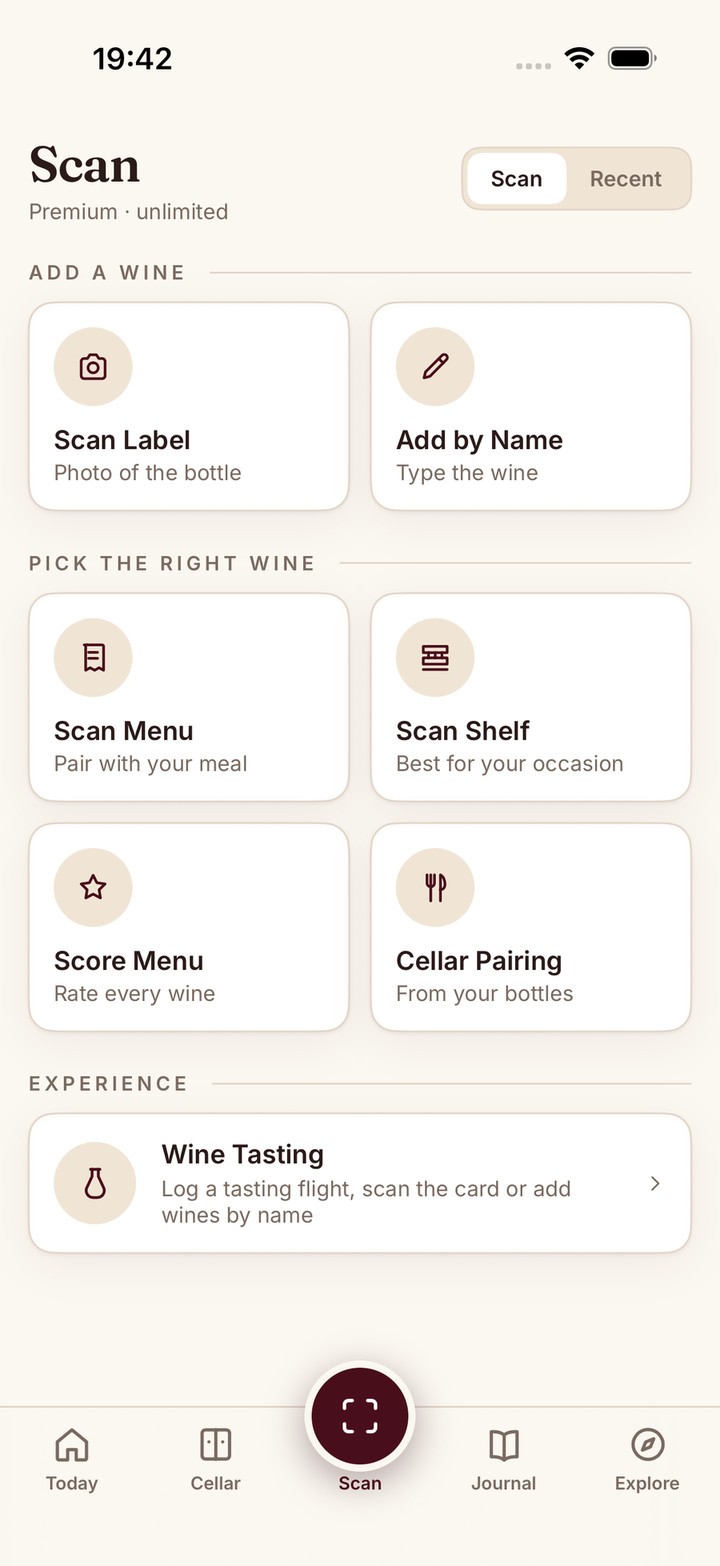
In a wine shop, Scan Shelf turns a crowded shelf into a short list. Snap a shop shelf, tell Sommo the occasion, and it picks up to three bottles it can read: a top pick, a best-value bottle and a splurge, shaped by your recent journal ratings. On the web, menu and shelf scanning is called Menu and shelf picks and works by photo upload.
Free or Premium: Scan Shelf uses the 5 free scans; it is unlimited with Premium.
Scan a label
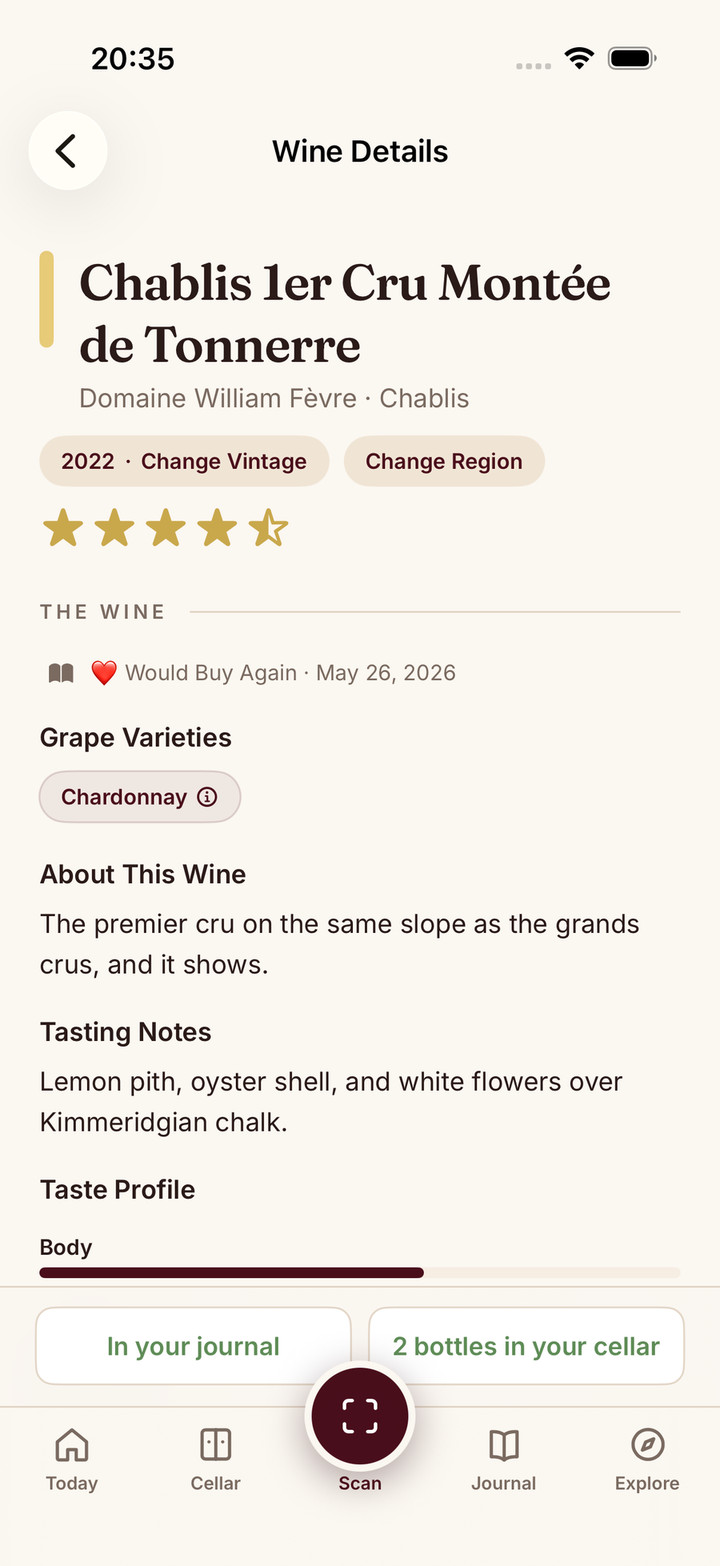
A label scan tells you which wine you are holding. Photograph a wine label and Sommo identifies it, ready to add to your journal or, with Premium, your cellar. Use it to save a bottle you liked at dinner or one you have just bought.
Free or Premium: Free accounts get 5 lifetime AI scans per device, shared across label, menu and shelf scans. Premium is unlimited.
Keep a wine journal
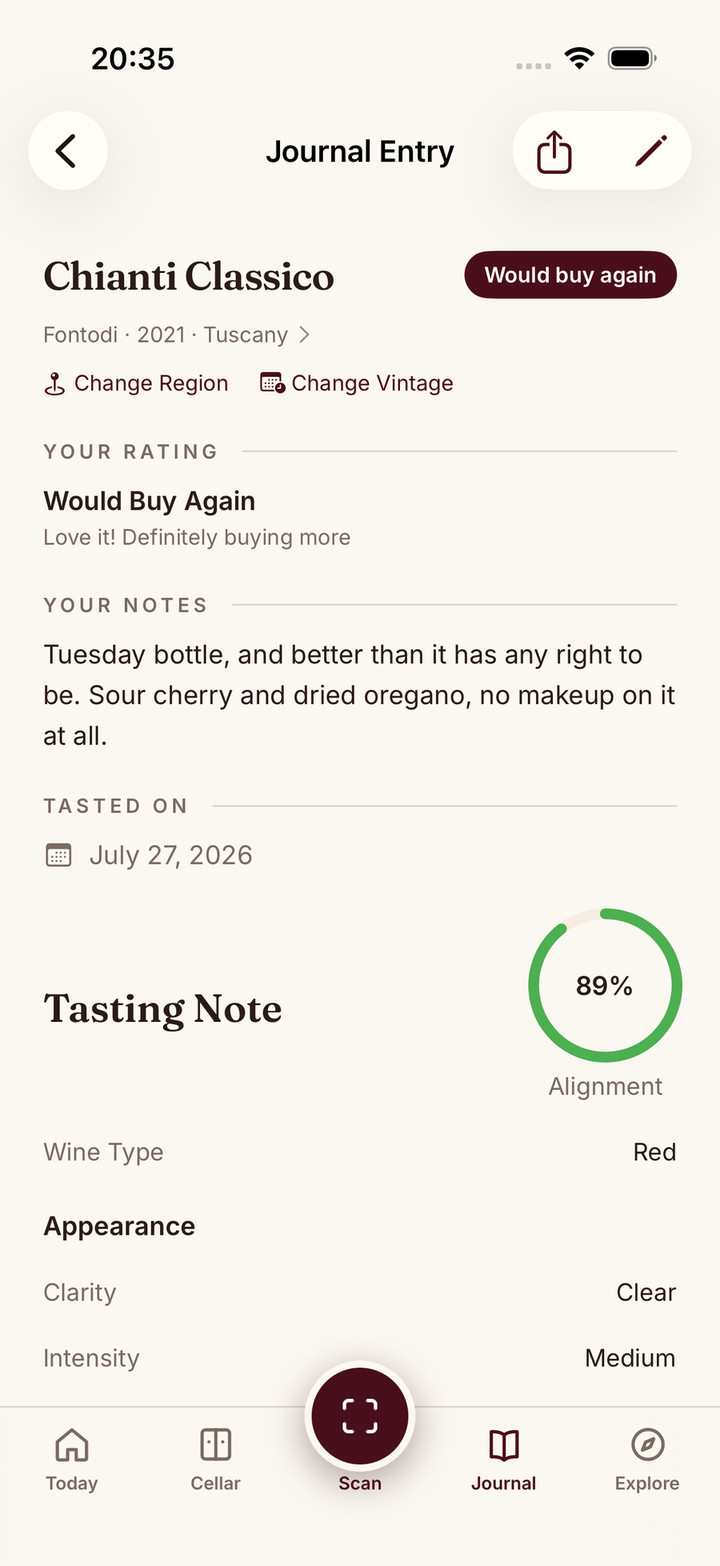
Your wine journal is the record of what you have tasted and what you made of it. Each journal entry keeps the wine, your rating, your notes and the date, plus where you drank it, what you paid and a full tasting note if you add them. Those ratings are what Scan Menu and Scan Shelf lean on when they choose for you.
Free or Premium: The free journal shows your last 30 days; older entries are hidden, not deleted, and come back with Premium.
SAT Notes
SAT Notes gives your tasting notes a proper structure. SAT Notes walks you through the WSET Systematic Approach to Tasting: appearance, nose, palate and conclusions. It suits anyone who wants to taste more carefully, whether or not an exam is on the horizon.
Free or Premium: Free on all platforms.
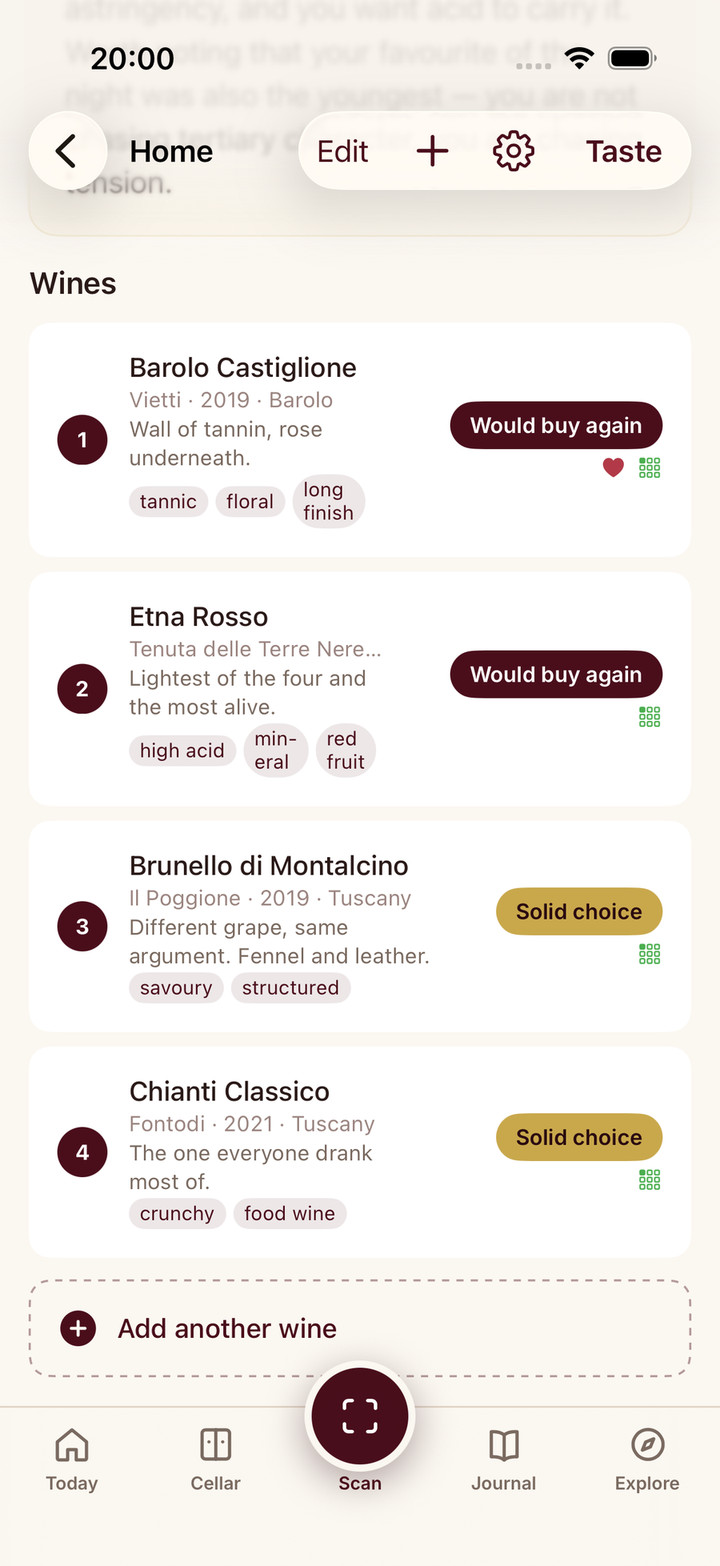
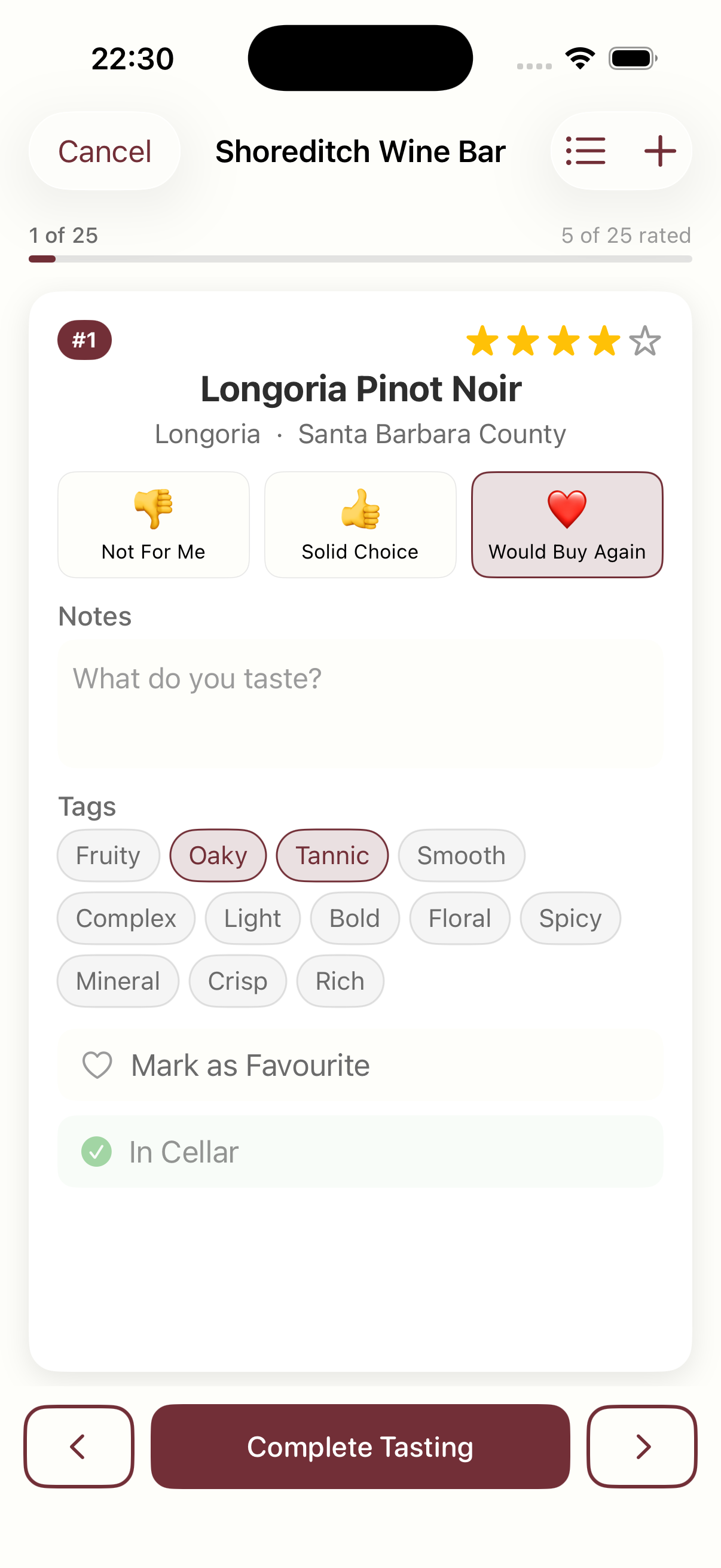
Tasting mode
Tasting mode is for evenings with more than one bottle open. With Premium, tasting mode lets you taste and note several wines in one sitting. It suits a class, a flight at a wine bar or a night in with friends.
Free or Premium: Premium.
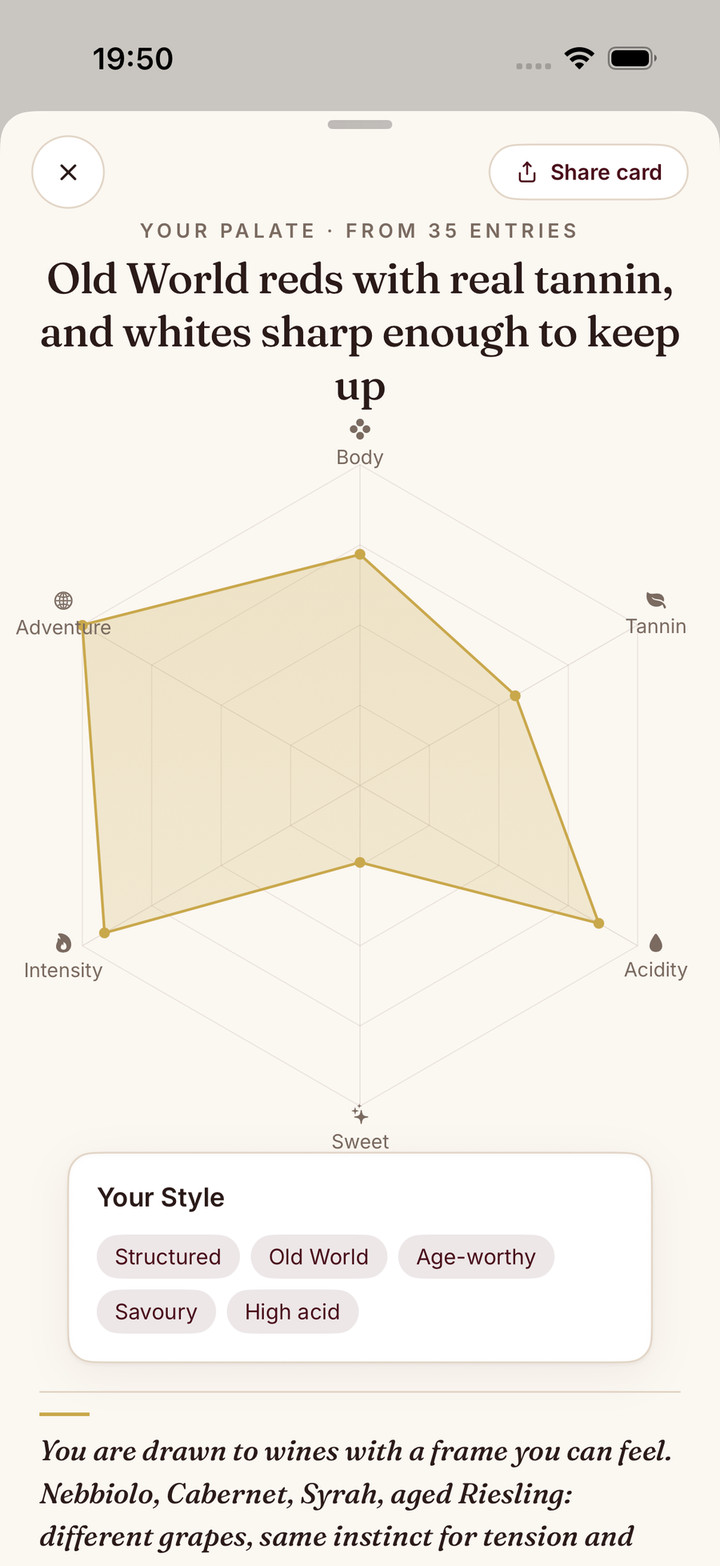
Taste DNA
Taste DNA shows you what your palate looks like. With Premium, Taste DNA turns your journal into a six-axis palate profile that leans on what you have tasted recently. On the web it is called Your palate.
Free or Premium: Premium.
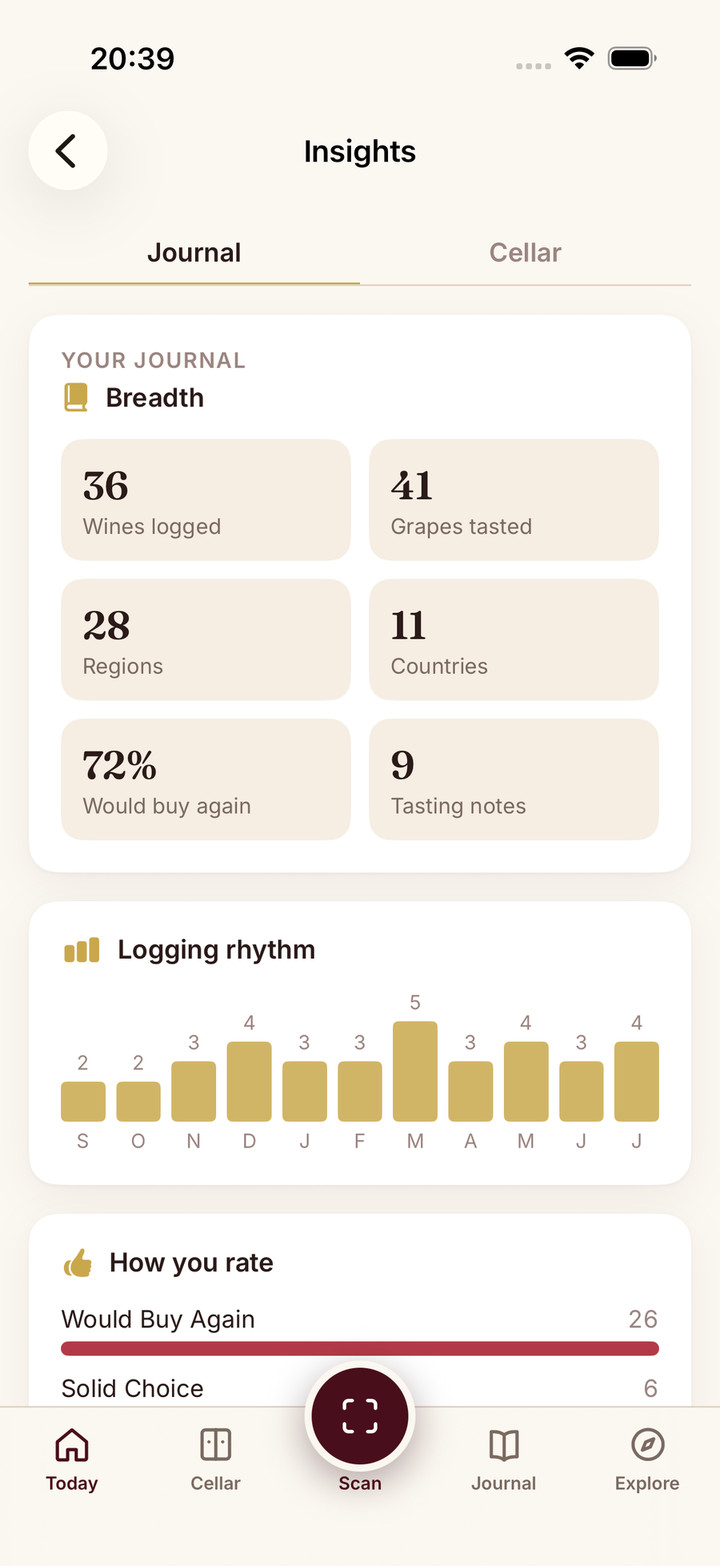
Insights
Insights helps you see your own habits. Insights shows patterns in your drinking and ratings over time, free on every platform. Premium adds a written reading of what they mean.
Free or Premium: Free on every platform; the written reading is Premium.
Run your cellar
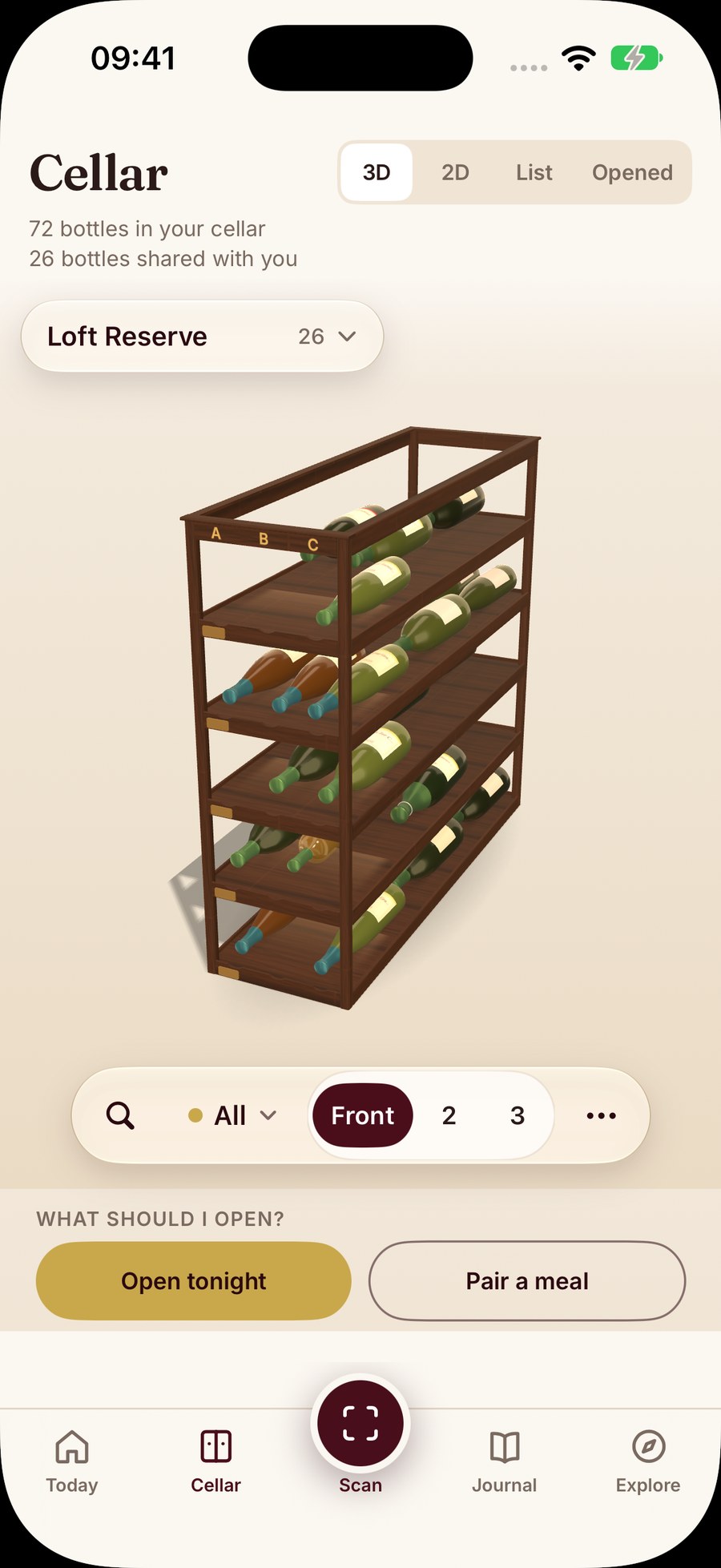
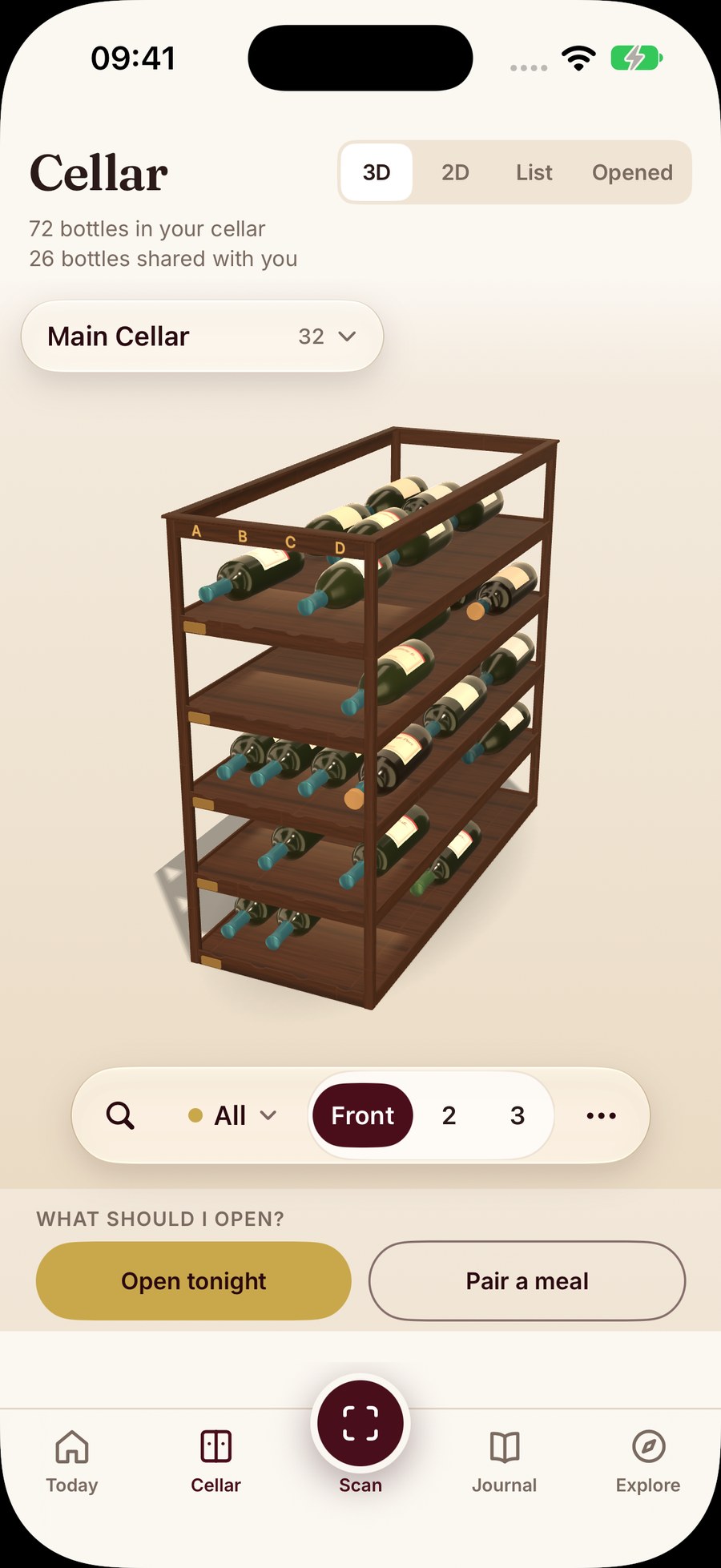
The wine cellar keeps track of the bottles you own, rack by rack. The cellar is part of Sommo Premium. Add bottles from a label scan or an import, then use the tools below to decide when to drink them, what to open tonight and how to keep a record you can take anywhere.
Free or Premium: Premium.
Drinking windows
Drinking windows tell you whether a wine is ready. Every scan and wine page shows a drinking window; with Premium, your cellar tracks when each bottle is ready. Drinking windows run from Too Young through Approaching, Ready Now and Declining to Past Prime. That way a bottle worth keeping does not get opened too soon, or forgotten until it has faded.
Free or Premium: Drinking windows on scans and wine pages are free; tracking them across your cellar is Premium.
Ask Sommo and Open Tonight
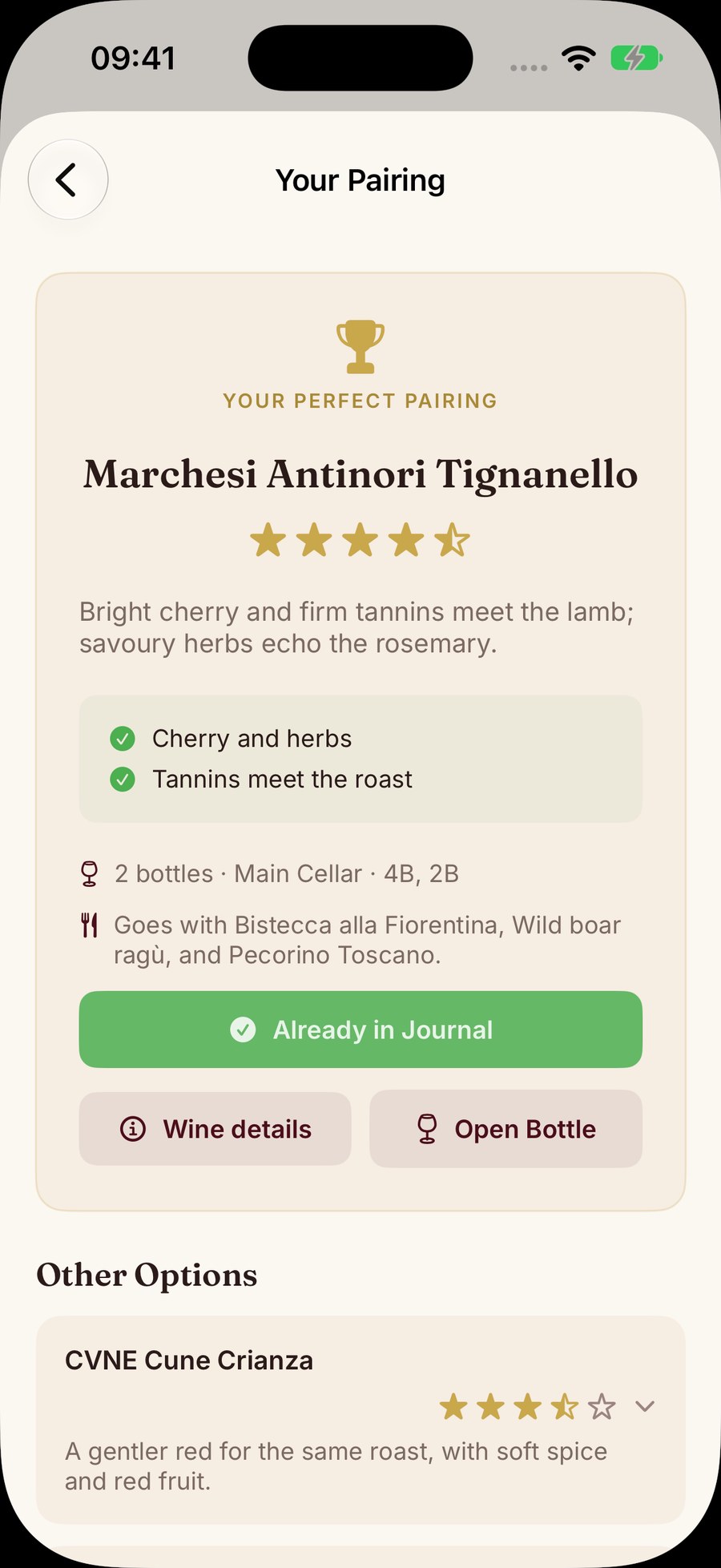
The cellar pairing helps you choose which bottle to open with dinner. With Premium, Ask Sommo tells you what to open from your cellar for tonight’s meal. Sommo picks a top bottle from your cellar plus runners-up, and Open Tonight picks only from bottles that are ready to drink. It suggests styles or regions to buy only when nothing in your cellar is a strong match.
Free or Premium: Premium.
Cellar book and export
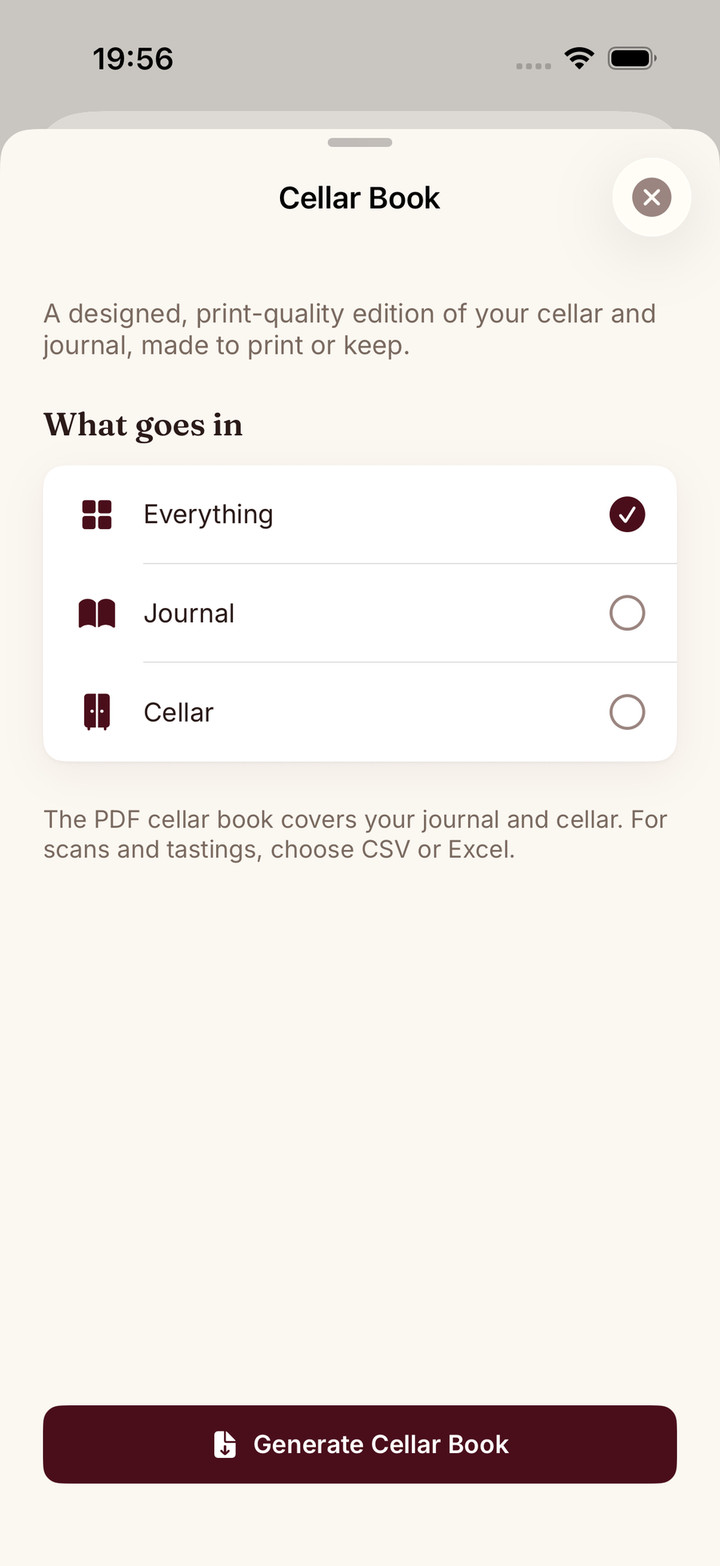
The cellar book lets you take your records with you. Export your journal and cellar to CSV or Excel for free, or create a printable PDF cellar book with Premium. Your notes stay yours, in a file you can open anywhere.
Free or Premium: CSV and Excel export are free; the printable PDF cellar book is Premium.
Bring your wines with you: import
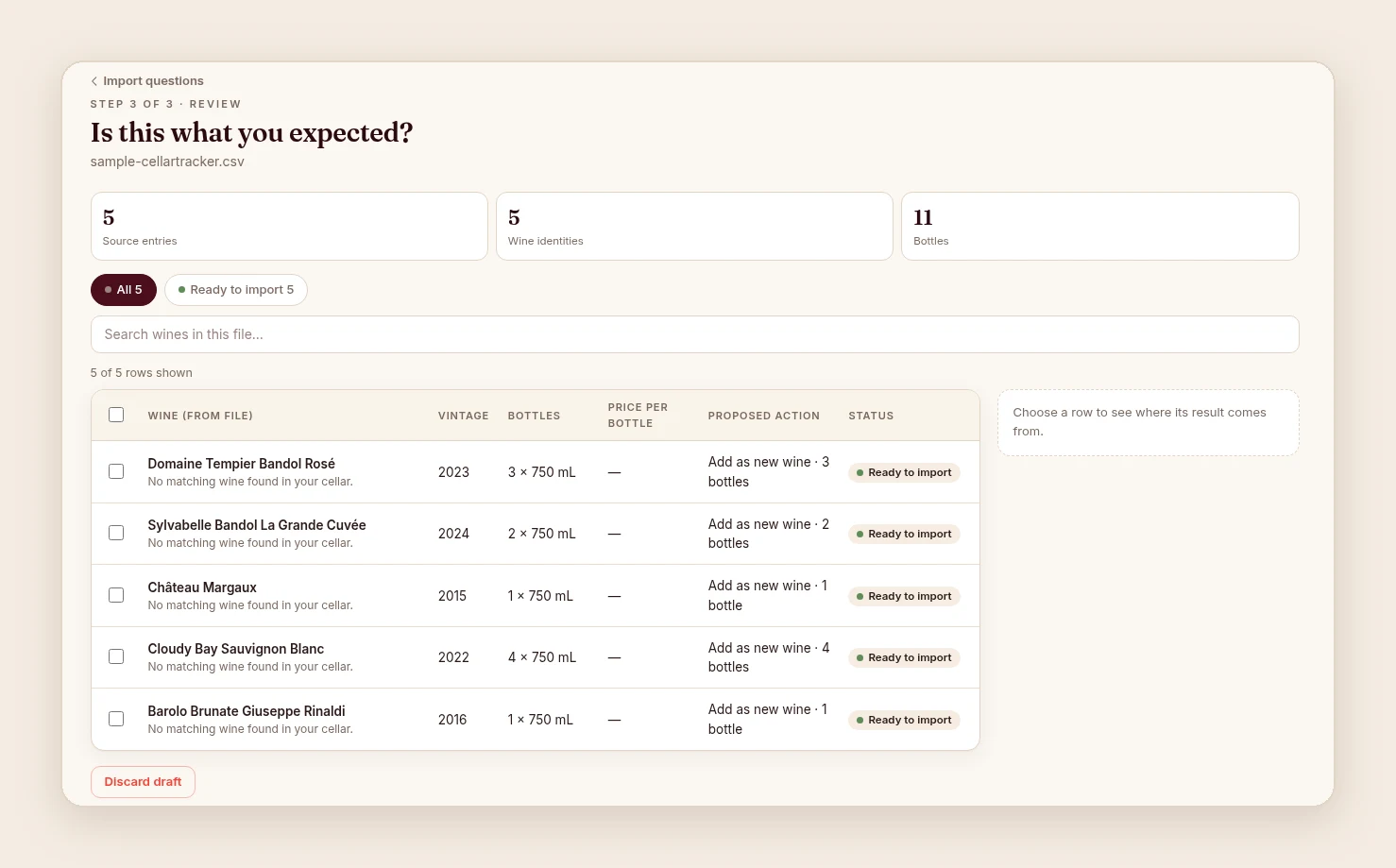
Wine import moves the wines you already track into Sommo, so you do not start from an empty rack. Import from CellarTracker or from a CSV or Excel file at web.sommo.app. Journal import is free; cellar import is Premium. Once the import is done, the wines sit in your journal or cellar alongside everything you scan.
Free or Premium: Journal import is free; cellar import is Premium.
Explore regions: the wine map
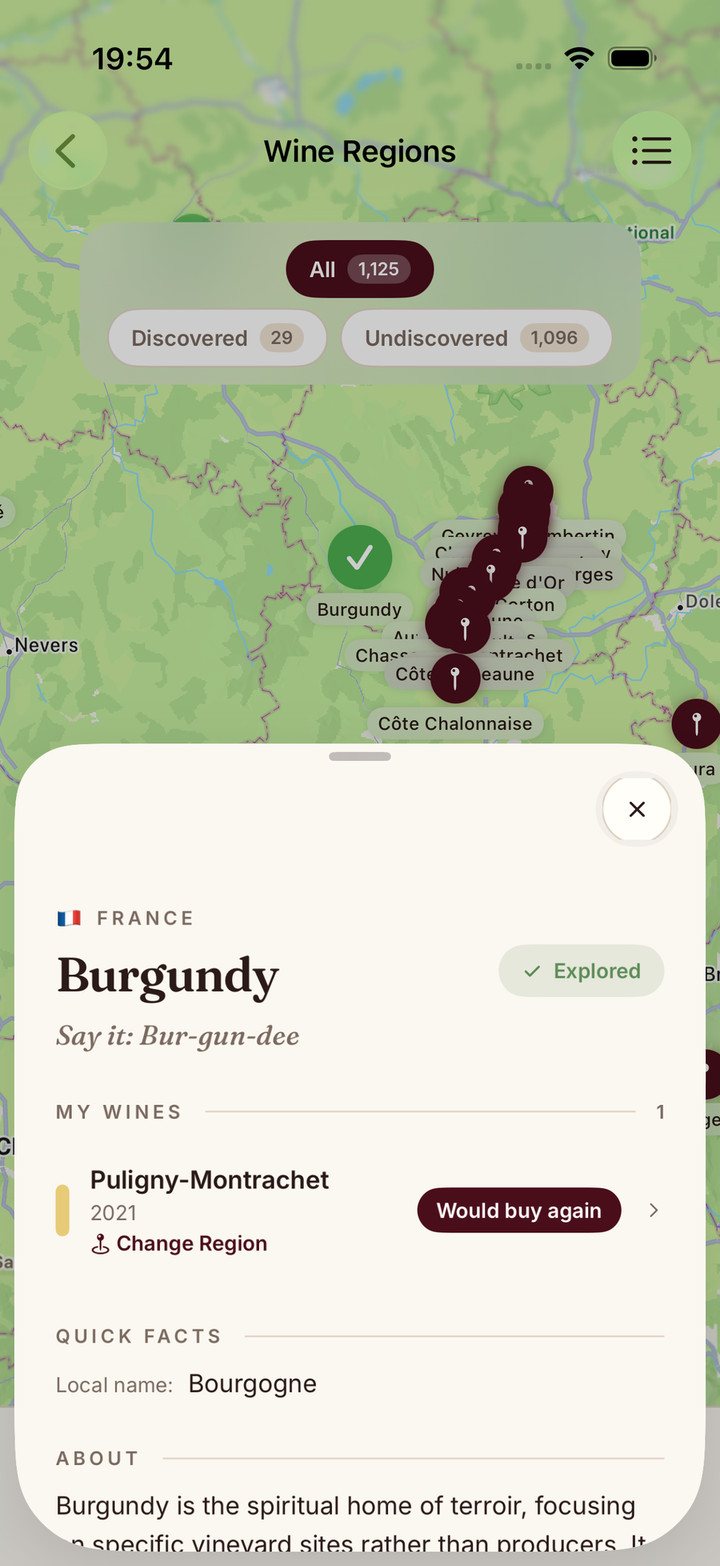
The wine map puts the wines you drink in their place. The wine map covers more than 1,000 regions across more than 70 countries. Use it to explore a region before a trip, or after a bottle you enjoyed.
Free or Premium: Free.
Share and taste together: Mix Palate and Sharing Party
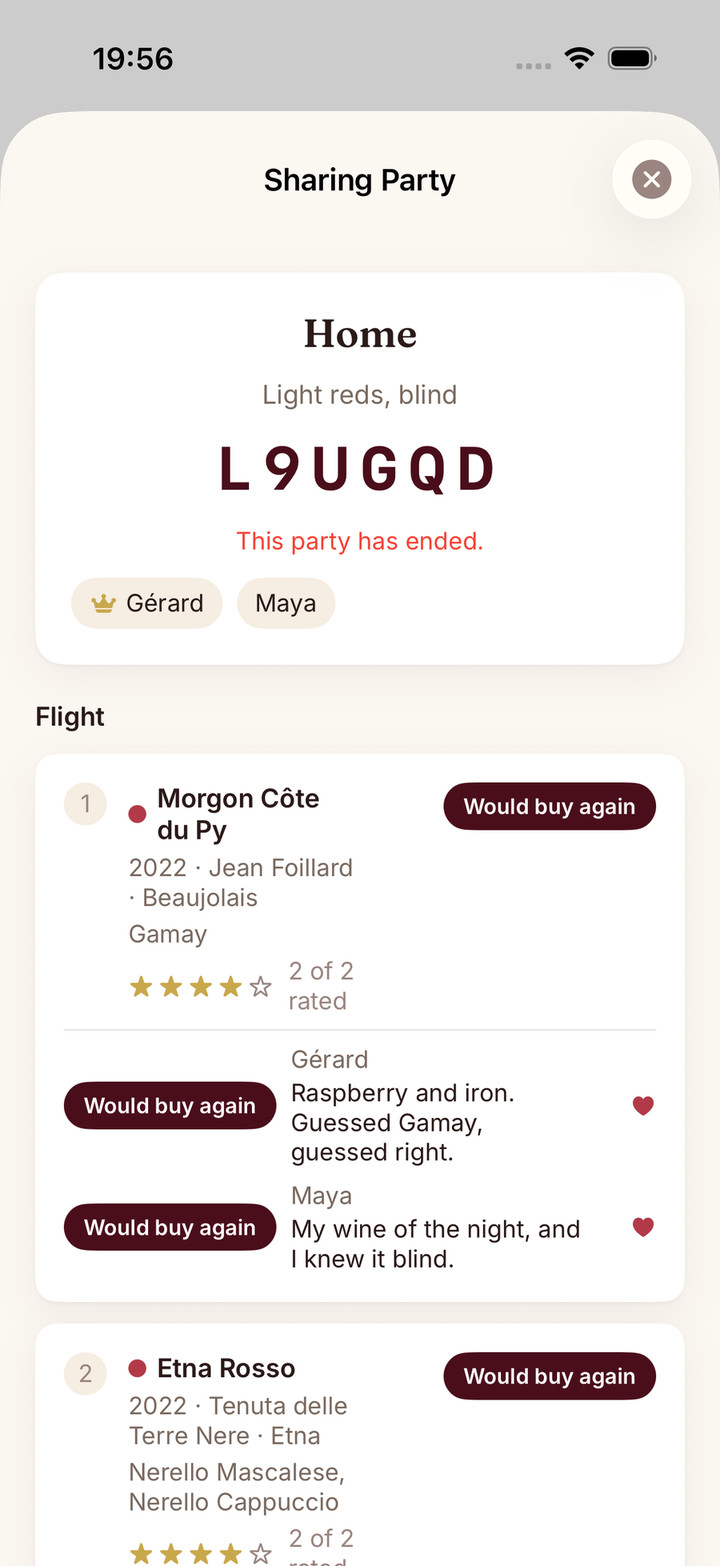
Mix Palate and Sharing Party are for drinking wine with other people. Mix Palate compares up to eight palates at once. With Premium you can host a Sharing Party for up to eight tasters, and share a rack with someone else. A Sharing Party is a hosted blind tasting with up to 20 wines. Mix Palate’s joint scans are on phones only.
Free or Premium: Mix Palate’s palate comparison is Free; its joint AI picks are Premium. Sharing Party and rack sharing are Premium.
Study for WSET
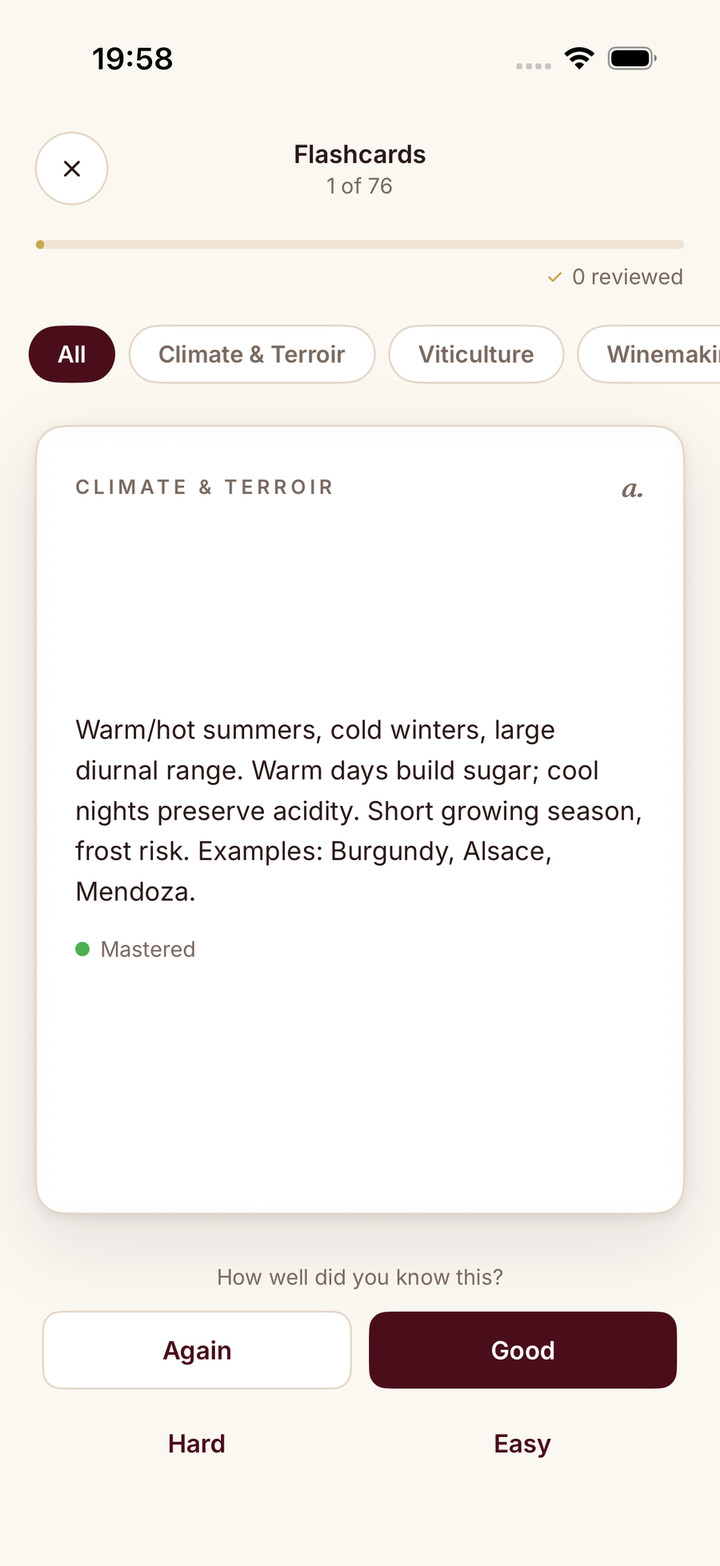
WSET exam prep brings your study into the same app as your tasting. WSET Level 1 is free. Levels 2 to 4, plus Chapter Drill and adaptive practice at every level, are part of Premium. Pair it with SAT Notes to practise the tasting side, and use the WSET guides for the theory.
Free or Premium: Level 1 is free; Levels 2 to 4, Chapter Drill and adaptive practice are Premium.
Free vs Premium
Here is everything above in one table. Full plan details are on the pricing page.
| Free | Premium | |
|---|---|---|
| Scans (label scans, Scan Menu, Scan Shelf, web Menu and shelf picks) | 5 lifetime AI scans per device, shared across label, menu and shelf scans. Each browser counts as a device | Unlimited |
| Score Menu (a quality score for every wine read on a list) | No | Yes |
| Journal | Last 30 days visible. Older entries are hidden, not deleted | Full history |
| SAT Notes | Yes | Yes |
| Tasting mode | No | Yes |
| Taste DNA (“Your palate” on the web) | No | Yes |
| Insights | Yes | Yes, plus a written reading of what they mean |
| Drinking windows on scans and wine pages | Yes | Yes |
| Cellar, with drinking-window statuses | No | Yes |
| Ask Sommo (what to open from your cellar) and Open Tonight | No | Yes |
| Export journal and cellar to CSV or Excel | Yes | Yes |
| Printable PDF cellar book | No | Yes |
| Journal import (CellarTracker, CSV or Excel, on the web) | Yes | Yes |
| Cellar import | No | Yes |
| Sharing Party and rack sharing | No | Yes |
| WSET study | Level 1 | Levels 2 to 4, plus Chapter Drill and adaptive practice at every level |
| Price | Free | $4.99 a month or $29.99 a year in the US; prices vary by country and store. |
One Premium subscription works on iPhone, iPad, Android and the web when you sign in with the same Sommo account.
Where Sommo works
Sommo runs on iPhone and iPad (iOS 17.6 or later), Android phones and tablets (8.0 or later), Huawei phones with HarmonyOS 6.1.1 or later, and in any browser at web.sommo.app.
| Platform | Minimum version | More |
|---|---|---|
| iPhone and iPad | iOS 17.6 | Sommo for iOS |
| Android phones and tablets | Android 8.0 | Sommo for Android |
| Huawei phones | HarmonyOS 6.1.1 | Sommo for HarmonyOS |
| Web | Any browser at web.sommo.app | Sommo on the web |
On the web you can sign in with Apple, Google, Huawei or email. Your cellar, journal, scans and lists are the same on the web and your phone. Sommo on the web covers what you can do in a browser.
Sommo runs on HarmonyOS phones too, and Premium follows your account across devices. See Sommo for HarmonyOS for the AppGallery details.
Who Sommo is for
Sommo is built for people who enjoy wine and want a little help with it. Here are some common starting points; Sommo for you has more, including a page for wine beginners.
At a restaurant
Photograph the wine list and Scan Menu suggests up to three picks. With Premium, Score Menu scores every wine it reads. More in Sommo for restaurant diners.
In a wine shop
Tell Sommo the occasion and Scan Shelf picks up to three bottles it can read from the shelf.
With a cellar
With Premium, your cellar tracks when each bottle is ready, Ask Sommo tells you what to open for tonight’s meal and Open Tonight picks from bottles that are ready to drink. Coming from CellarTracker? Import your wines on the web. More in Sommo for wine collectors.
Studying wine
SAT Notes walks you through the WSET Systematic Approach to Tasting, free. WSET study starts free at Level 1. More in Sommo for WSET students.
Privacy
Sommo never sells your data, and your photos are never used for AI training. The privacy policy has the detail, and how Sommo handles your data explains it in plain English.
Frequently asked questions
Is Sommo free?
Yes. Free accounts get 5 lifetime AI scans per device, shared across label, menu and shelf scans, and a journal showing your last 30 days. SAT Notes, Insights, export to CSV or Excel, journal import and WSET Level 1 are free too. Premium adds unlimited scans, Score Menu, the full journal history, the cellar and WSET Levels 2 to 4.
How much does Sommo Premium cost?
$4.99 a month or $29.99 a year in the US; prices vary by country and store.
How many free scans do I get?
5 lifetime AI scans per device, shared across label, menu and shelf scans (including the web’s Menu and shelf picks). Each browser counts as a device. Premium is unlimited.
What happens to journal entries older than 30 days on the free plan?
They are hidden, not deleted, and come back with Premium.
What does Sommo pick from a wine list?
Up to three bottles: the best pairing, the best value and a splurge, shaped by your recent journal ratings. With Premium, Score Menu gives every wine it reads on the list a quality score.
Does one Premium subscription work on my iPhone, iPad, Android phone and the web?
Yes. One Premium subscription works on iPhone, iPad, Android and the web when you sign in with the same Sommo account.
Can I use Sommo in a browser?
Yes, at web.sommo.app. Sign in with Apple, Google, Huawei or email. Your cellar, journal, scans and lists are the same on the web and your phone.
What is Ask Sommo?
With Premium, Ask Sommo tells you what to open from your cellar for tonight’s meal.
Can I move my wines from CellarTracker?
Yes. Import from CellarTracker or a CSV or Excel file at web.sommo.app. Journal import is free; cellar import is Premium.
Does Sommo sell my data or train AI on my photos?
No. Sommo never sells your data, and your photos are never used for AI training.
Go further
- Every Sommo feature
- Premium plans
- How Sommo works under the hood
- Sommo on the web
- Download Sommo
- Sommo compared with Vivino
What changed
- 2 November 2026: Guide published.
Your AI sommelier is waiting.
Have Sommo in your pocket the next time you stand in a wine shop, sit at a restaurant, or open a bottle worth remembering.


