Flight Card Scanning
Snap the tasting menu and AI adds every wine to your session with producer, region, grape, and vintage already filled in.
Speed during the flight. Depth after.
Speed during the flight. Depth after.
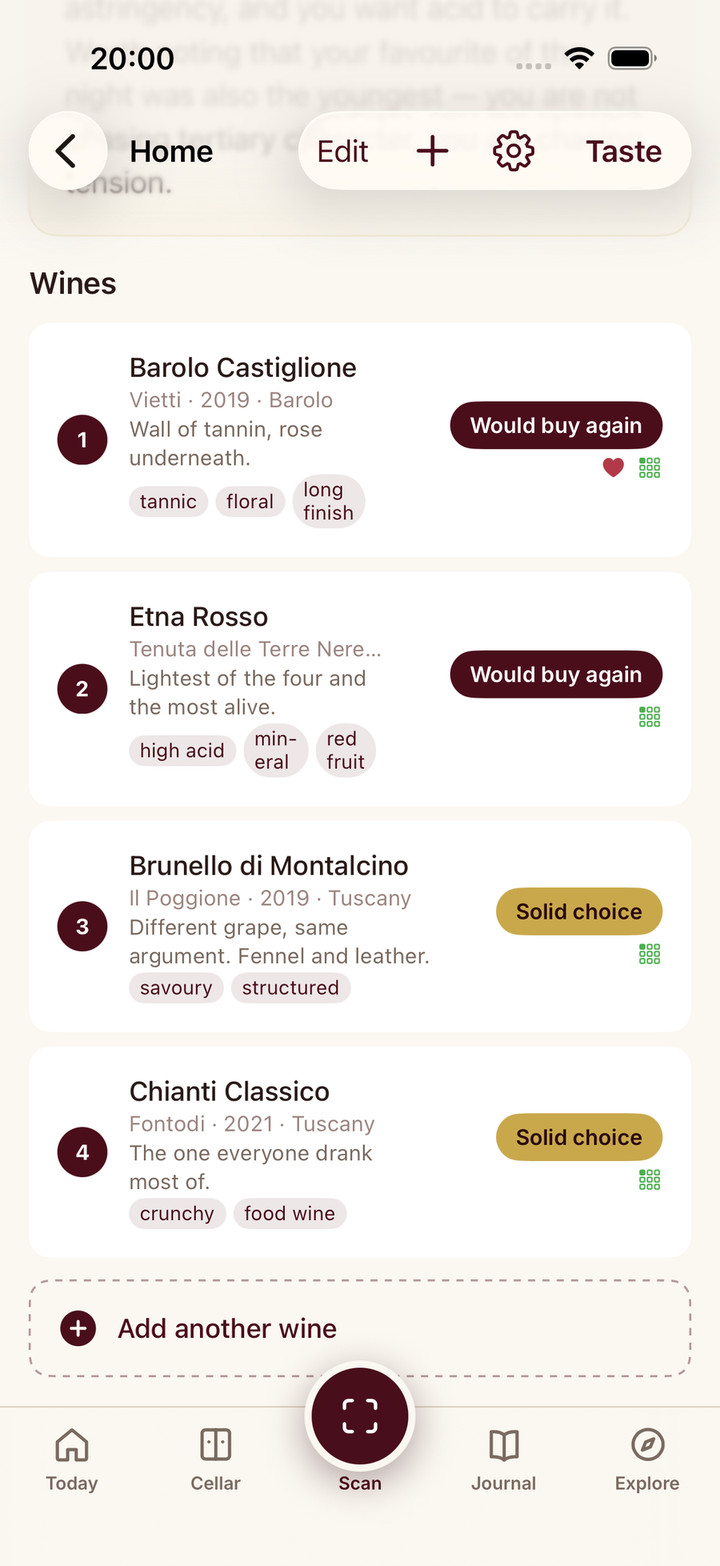
Snap the tasting menu and AI adds every wine to your session with producer, region, grape, and vintage already filled in.
Rate, note, tag, and favourite each wine in seconds. Built so you can keep up with even a fast-moving twelve-wine flight.
Finish the tasting and get a personal palate analysis plus per-wine sommelier reviews that cross-check your tags against the actual wine.
Point your camera at the tasting menu and Sommo's AI fills in every wine automatically.
Swipe through, tap a rating, jot a note, add flavour tags, mark favourites.
Finish the session and Sommo generates a palate insight plus a sommelier review for every rated wine.
At a tasting event, you do not have time to scan labels, write detailed notes, and compose tasting assessments for each wine. You need to capture your reaction in seconds and move on to the next glass.
Wine Tasting Mode is built for exactly this. Speed during the event, depth after.
Take a photo of the tasting menu or flight card. Sommo’s AI reads it and adds every wine to your session, including producer, region, grape varieties, and vintage. No label scanning, no typing, no squinting at bottles across the table.
You can also add wines by name if there is no card. Type “Chateau Margaux 2015” and AI fills in the details automatically.
OCR is good, not perfect. Tasting room cards are sometimes handwritten. The producer name on the menu doesn’t always match the official spelling.
Every wine card in Quick Taste has a pencil affordance. Tap it to open a focused edit sheet for the wine name and vintage. The change applies inside your session, so the live insight and per-wine review use the corrected identity. When you complete the tasting, Sommo re-resolves the canonical wine, so the journal entry comes out right too. No more journal entries pointing at a wine that does not exist.
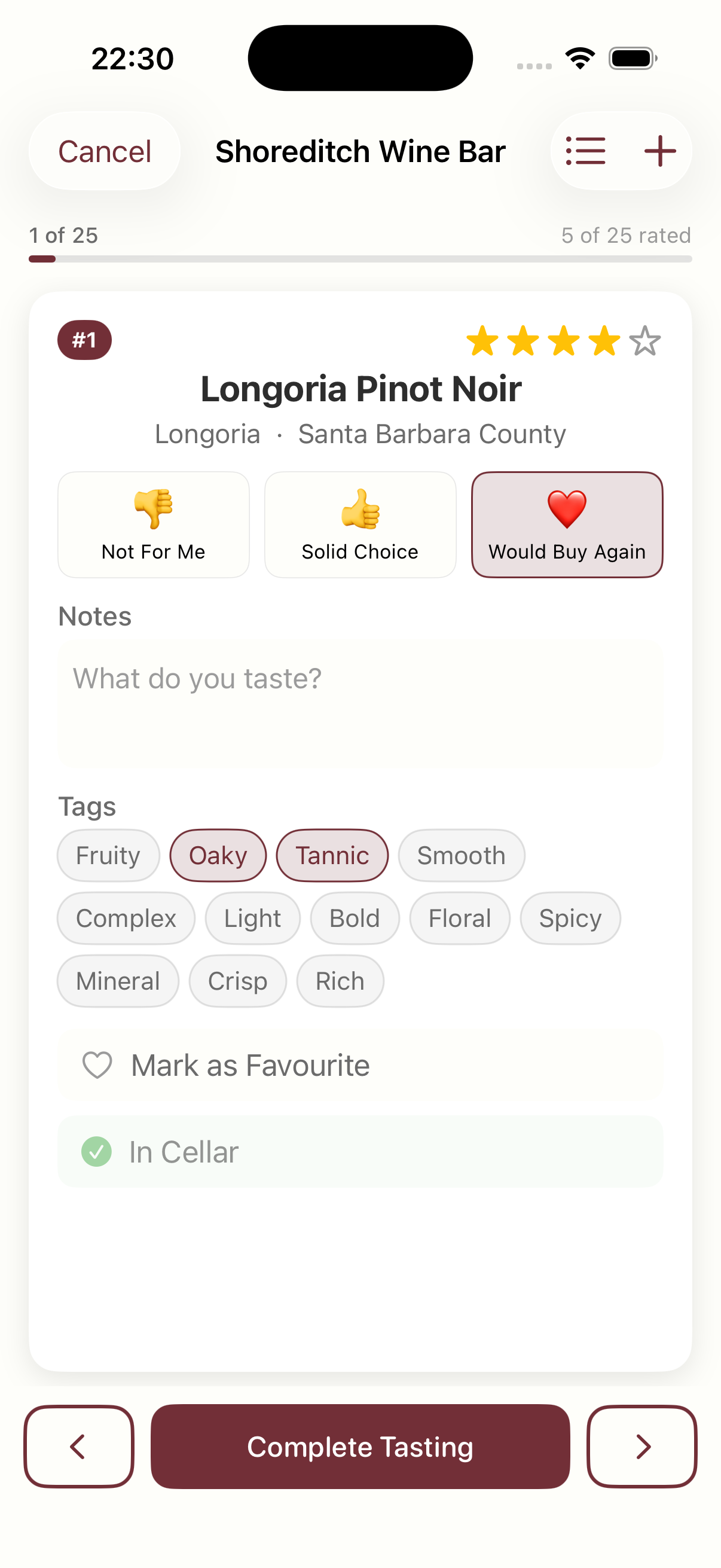
Swipe through your wines one at a time. For each wine, you get:
The whole interaction takes seconds per wine. Rate, note, tag, swipe, next.
For larger flights, toggle to the list view to see all wines at a glance and tap any wine to jump to its card.
After you complete a session, Sommo’s AI analyses your ratings, notes, and tags automatically. No button to press. It starts as soon as you finish.
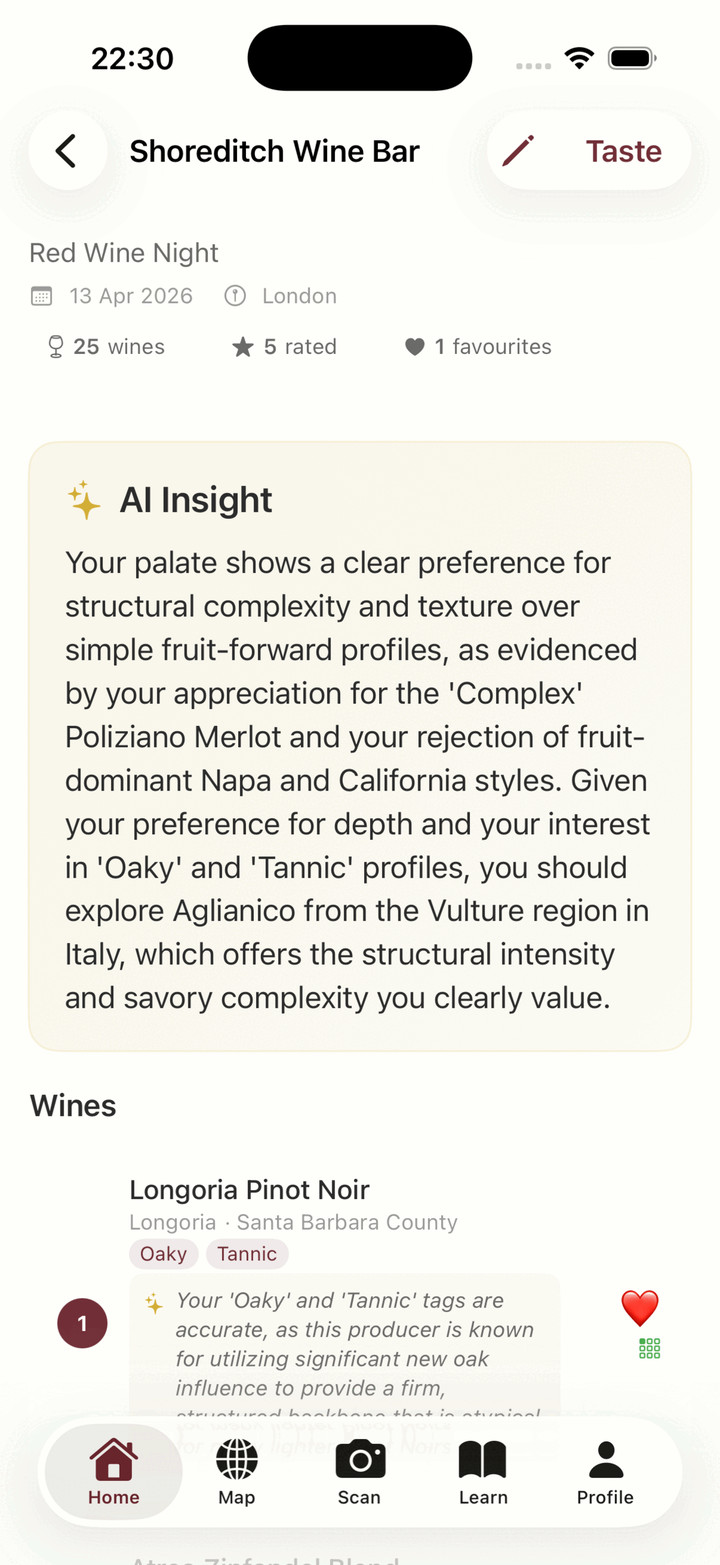
The AI identifies patterns across your rated wines and connects them to specific flavour profiles. It suggests new wines or regions to explore based on what you enjoyed and what you did not.
Every rated wine gets a one to two sentence sommelier review. The AI cross-references your tags against how the wine actually tastes:
The goal is to teach, not to agree. Every wine tasting becomes a micro-lesson.
The Wine Tastings log is more than a list of sessions. It’s a map of the rooms you’ve enjoyed.
Tap the heart on any tasting row to mark the venue or winery as a favourite. The same toggle lives on the session detail header and in the edit screen, so you can flip it from wherever feels natural. A “Favourite venues only” filter at the top of the log narrows the view to the rooms you want to remember.
The heart is for the venue. Each wine inside the session keeps its own favourite, so you can love a place without committing to every pour, or favourite a wine without giving the room a stamp.
Completing a session creates a journal entry for every rated wine. Ratings, notes, and tasting dates all carry over. If you edit a wine later, the journal updates too.
Your tasted wines also appear on the interactive wine map as explored regions. No extra steps needed.
Changed your mind about a rating? Tap Taste on any completed session to re-enter the flow. The AI insight regenerates automatically with your updated data, so you always get fresh analysis.
Session metadata like venue, location, date, theme, and notes is editable too.
Wine Tasting Mode works for anyone who tastes multiple wines at once:
When the flight has an audience, Sharing Party runs the same session for the whole table: the host builds the flight, guests join by code, everyone rates blind on their own phone, and the reveal shows who loved what. Solo tasting mode and the party share the same bones, so nothing new to learn when friends turn up.
Three-day free trial of Premium. No credit card up front. Cancel anytime.