Your Data, Always Yours
Every journal entry, cellar bottle, scan, and tasting session exports as CSV or Excel, free tier included. Photos and WSET progress are not part of the export. Data portability is a promise, not a paywall lever.
Your cellar, in print.
Every journal entry, cellar bottle, scan, and tasting session exports as CSV or Excel, free tier included. Photos and WSET progress are not part of the export. Data portability is a promise, not a paywall lever.
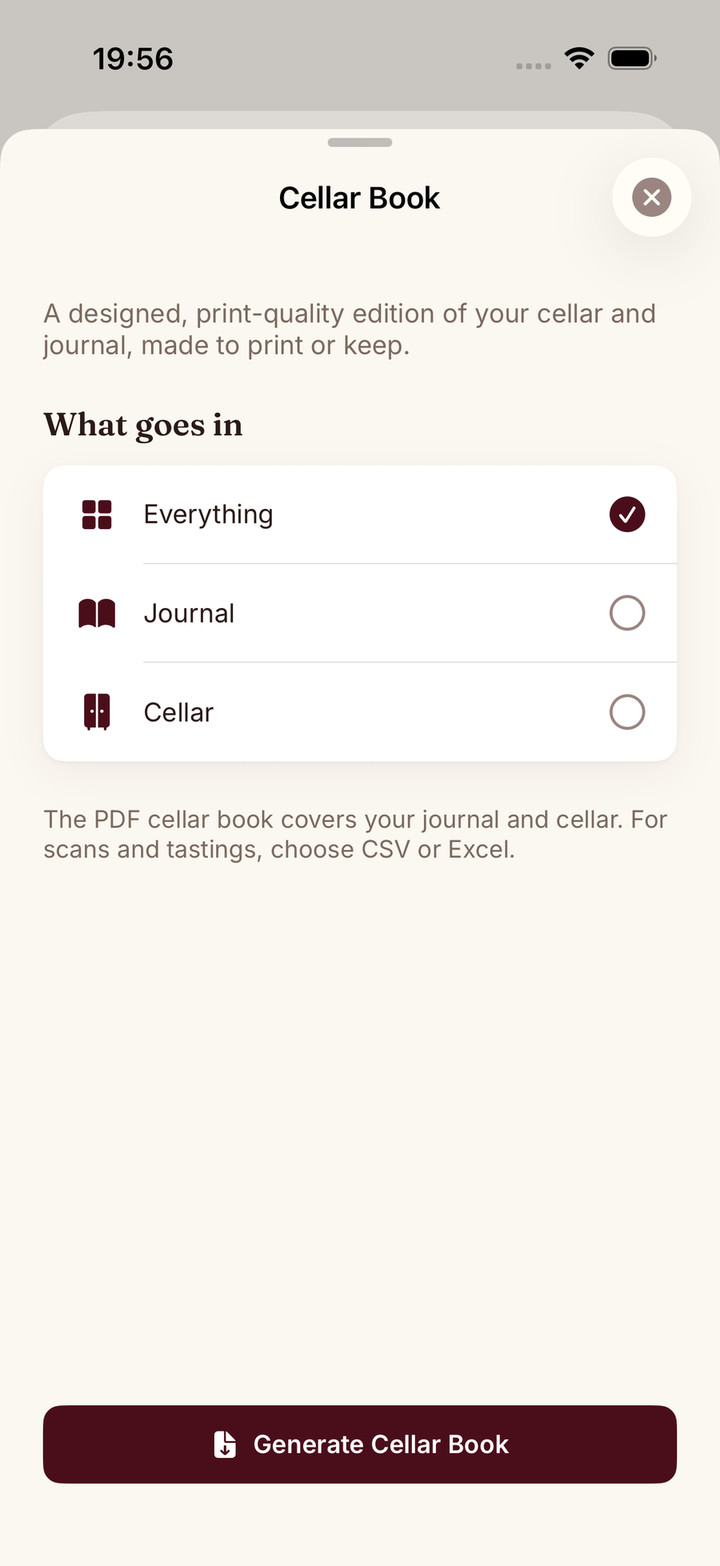
A print-quality book in Sommo's editorial language: cream paper, a cover with your name and the date, your cellar grouped rack by rack, and your journal entries with their structured tasting notes.
The kind of object you leave on a table or send to the friend who inherits your palate. Regenerate it whenever the cellar changes.
From your profile, pick what to export: everything, or just the journal, cellar, scans, or tastings.
CSV or Excel for spreadsheets and other tools, or the cellar book PDF for something designed to be read.
The file is generated fresh from your data and downloads straight to your device.
Spreadsheets are for counting wine. A cellar book is for remembering it.
Sommo’s export does both. The free tier gives you your wine life as CSV or Excel: journal entries, cellar bottles, scans, tasting sessions, every column intact, ready for whatever tool you point at it. And Premium adds the cellar book: a print-quality PDF designed the way the rest of Sommo is designed.
Data portability in Sommo is deliberately free. Every export scope (all of it, or just the journal, cellar, scans, or tastings) downloads as CSV or Excel, with your whole history included even on Free, and a single rack can also be exported as Markdown. If you ever leave, you leave with your journal notes and their AI feedback, your cellar with its racks and drinking windows, your label scans and your tasting sessions. Photos and WSET progress are not part of the export. That guarantee is the point: an app you can always walk out of is an app you can trust with twenty years of tasting notes. The best wine cellar app comparison shows how other apps handle import and export, and you can bring a collection in from CellarTracker or a spreadsheet on the web.
The cellar book takes the same data and typesets it:
It is the kind of object you leave out on a table, hand to the friend who inherits your palate, or print for the cellar door. Regenerate it whenever the collection changes.
The book is the cellar and the journal made physical. Scan, store, pour, rate, and at the end of the year, print what the year tasted like.
For a dinner, a short selection is often more useful than the whole book. The guest wine-list guide helps you make a readable menu and leave private prices and storage details out of it.
Three days of full Premium free. You add a payment method, nothing is charged until the trial ends, and it renews automatically unless you cancel.

