Instant Wine Intelligence
Point your camera at any label and get detailed tasting notes, grape varieties, producer history, and food pairings in seconds.
Point. Scan. Know.
Point your camera at any label and get detailed tasting notes, grape varieties, producer history, and food pairings in seconds.
Scan an entire restaurant wine menu or store shelf. AI scores each wine and highlights the best picks for your palate.
Every scan builds a comprehensive wine profile with body, acidity, tannin levels, serving temperature, price range, and terroir notes.
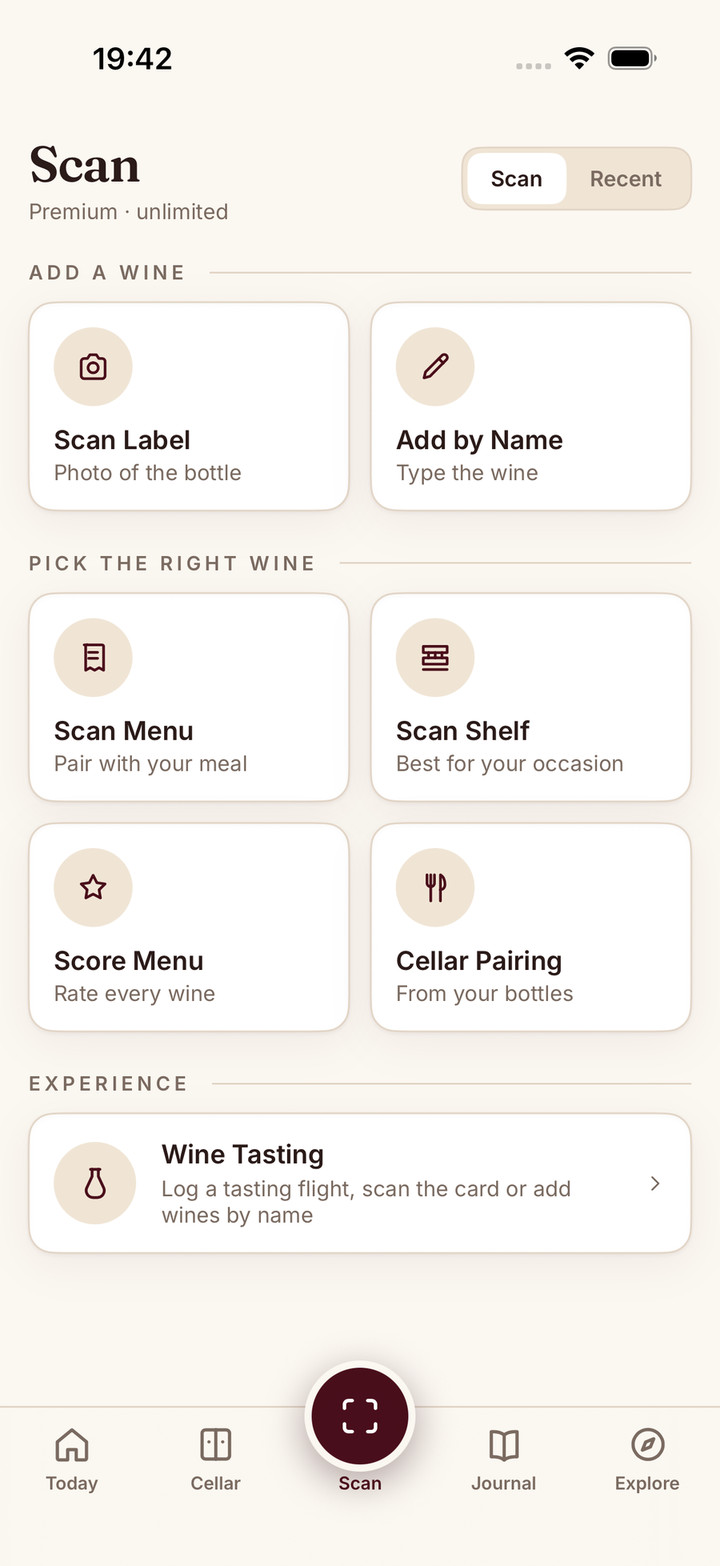
The Scan tab opens camera-first: aim at a wine label, menu, or shelf display, or flip to Recent for what you scanned before.
AI reads the label and matches it to a comprehensive wine database. Scan a wine you have tasted before and your verdict and date come back with it.
Browse tasting notes, food pairings, region info, and save to your journal.
You’re standing in a wine shop, staring at rows of bottles with labels in French, Italian, and Spanish. The staff is busy. You don’t want to pick the wrong one again.
This is exactly the problem Sommo was built to solve.
Open the app, point your camera at the label, and within seconds you have everything: the grape varieties, the region and its terroir, detailed tasting notes, food pairings, serving temperature, and a quality score. No sommelier required.
The core experience. Aim your camera at any wine label and Sommo’s AI reads it, identifies the wine, and builds a comprehensive profile. It handles everything from a crisp Marlborough Sauvignon Blanc to an obscure Grüner Veltliner from the Wachau.
Every scan creates a full wine profile with body, acidity, tannin levels, alcohol percentage, producer history, price range, and terroir notes. It’s the knowledge of a sommelier, delivered in seconds.
At a restaurant, the wine list can be overwhelming. Photograph the menu and Sommo identifies each wine, scores them, and highlights which bottles offer the best quality for the price. Tap any wine to see full details and decide with confidence instead of guessing.
In a wine shop, scan an entire shelf display. Sommo picks out the visible bottles and gives you quick comparisons. Useful when you’re browsing and want to zero in on the best option without picking up every bottle.
Wine you’ve already scanned doesn’t disappear into the void. Sommo keeps a per-user scan history, newest first, so you can reopen any past result without re-scanning the bottle. Useful when you walk back into the same shop a week later and want to remember whether that Mencía was worth a second look.
When you open a wine you’ve scanned before, the detail page shows you more than tasting notes. It shows:
One screen, full context. No bouncing between tabs to figure out whether you should buy another bottle or open the one you already have.
Every wine you scan gets a detailed profile that includes:
From any scan result, you can save the wine to your journal, add it to your cellar with a rack and slot pick, or write structured tasting notes following the SAT methodology.
Sommo’s scanner is designed for the situations where you actually need wine knowledge: the shop floor, the restaurant table, the friend’s dinner party where someone hands you a bottle and asks what you think. Quick, accurate, and private. No account needed for your first five scans.
Three-day free trial of Premium. No credit card up front. Cancel anytime.