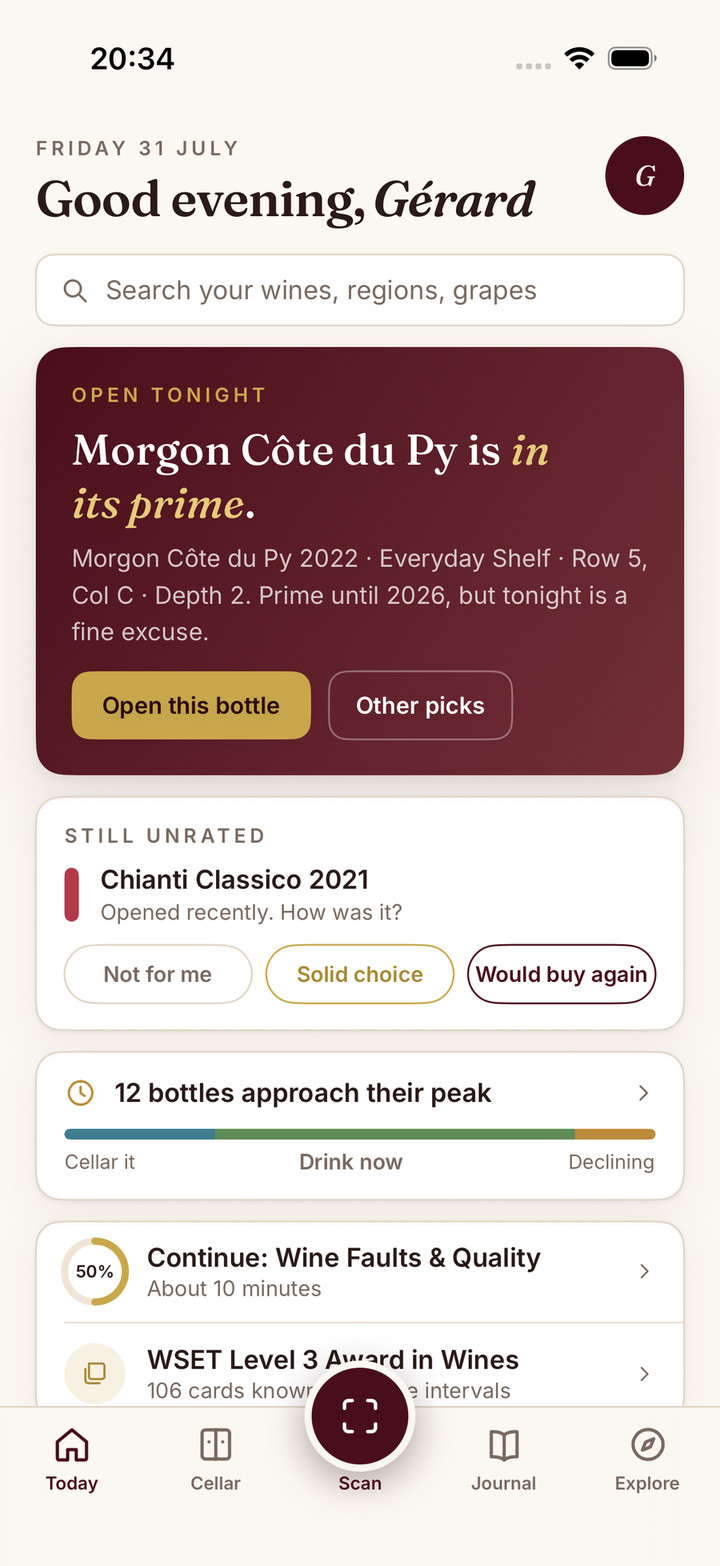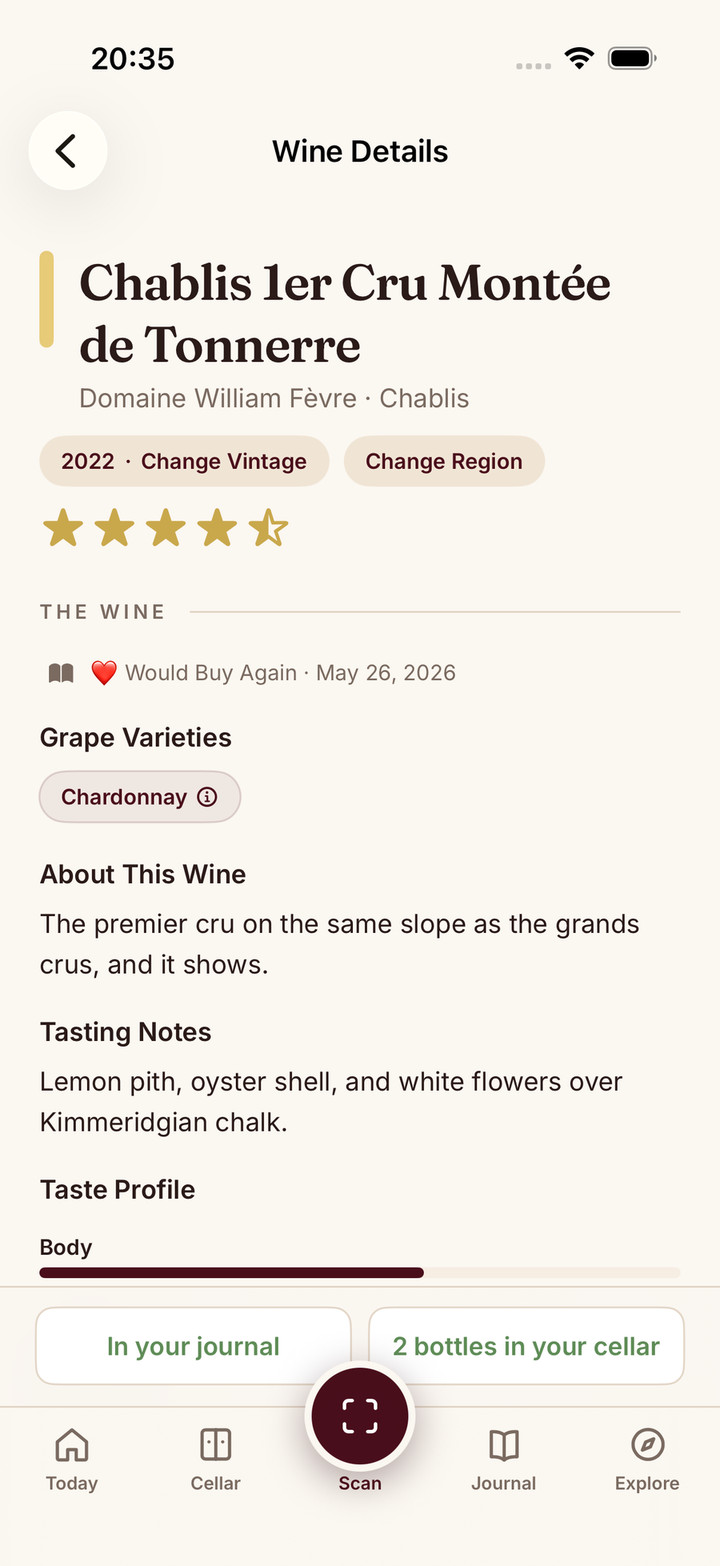
People asked me whether they could chat with their cellar, their journal and their WSET progress. I considered building a chat feature inside Sommo. But when I thought about how I would use it myself, I kept wanting the conversation to go beyond wine.
So I connected Sommo to ChatGPT. You can connect Sommo in ChatGPT and bring your authorised wine records into that conversation. Here is why I chose that direction, and what happened when I asked it to help me plan November dinners from my own cellar.
Why I wanted more than a wine chat box
I use Sommo myself. A bottle in my cellar is rarely an isolated question about grapes or serving temperature. It is also a question about dinner: what I want to cook, how much preparation I can manage and when friends might be free.
I might want to book a tasting, message friends about opening bottles from my cellar, or draft a menu I can print. Those are things I want from a wider connected chat environment. They are aspirations, rather than Sommo features demonstrated here.
A wine conversation can begin with a bottle and continue into the rest of an evening. Building another chat box would mean asking you to move that conversation into Sommo, then move it elsewhere again when the subject changed. I would rather bring the wine context to a conversation you already want to have.
Why I think chat needs connections
I think connectors, plugins and apps are the future of chat because they can bring a person’s own context into the conversation. A useful answer should be able to begin with the bottles I have recorded, without asking me to type out the cellar again.
That is how I think about tools such as ChatGPT, Gemini and Claude. My product decision is to extend that kind of environment. The live connection I am showing and offering here is ChatGPT.
Sommo’s proprietary wine-tuned AI remains in the Sommo apps and established web features; this connection supplies authorised records and supported study evidence to ChatGPT, which hosts the conversation. I explain Sommo’s wine AI separately. Connecting the records gives them another useful setting, while Sommo remains the place I keep them.
Sommo is better with AI.
What connecting Sommo to ChatGPT means
The connection supports authorised wine history, reviewed journal saves and, with Sommo Pro, personal unplaced cellar additions. A supported save has a preview, your confirmation and a receipt. It also supports grounded WSET Levels 1 to 3 materials, editable roadmaps and practice within your entitlement. See what Sommo supports in ChatGPT.
Free includes wine identity search and tasting saves. The free journal shows your last 30 days; older entries are hidden, not deleted, and come back with Premium. ChatGPT cellar search, racks overview, personal unplaced additions and arrangement require Sommo Pro. Rack placement and shared-rack writes are outside the connection. There is no ChatGPT-only price or in-chat upgrade or checkout. Sommo is not affiliated with WSET or OpenAI.
Why did I connect Sommo to ChatGPT? I wanted a conversation that could start with my wine records and continue into the rest of my plans. I chose to extend ChatGPT rather than build a separate wine chat box. Sommo keeps its own wine AI in its apps and established web features; ChatGPT is a connected surface for authorised Sommo records and supported actions.
Can ChatGPT plan dinners from my Sommo cellar? With Sommo connected and Sommo Pro cellar access, ChatGPT can work from your authorised cellar records. In my personal demo on 6 November 2026, it reviewed 28 holdings and proposed November dinners around five entries covering seven bottles. That is an example, not a guarantee of bottle condition or identical results. The shopping-list and calendar buttons shown are ChatGPT-side next steps.
How do I connect Sommo to ChatGPT, and what is free? Open the Sommo ChatGPT plugin, sign in or create a Sommo account from ChatGPT, review permissions and authorise. Free journal access covers the last 30 days, and WSET Level 1 materials are free. Cellar access requires Sommo Pro. WSET Levels 2 to 3 study materials require Premium; advanced practice entitlements also apply. See plan details.
The prompt I used with my own cellar
On 6 November 2026, I tried this exact prompt against my live Sommo personal-cellar records:
Sommo: Analyze the top 5 declining wines in my cellar. Create a dinner plan in the month on how can I pair them.
Five wine entries, seven bottles, a November plan
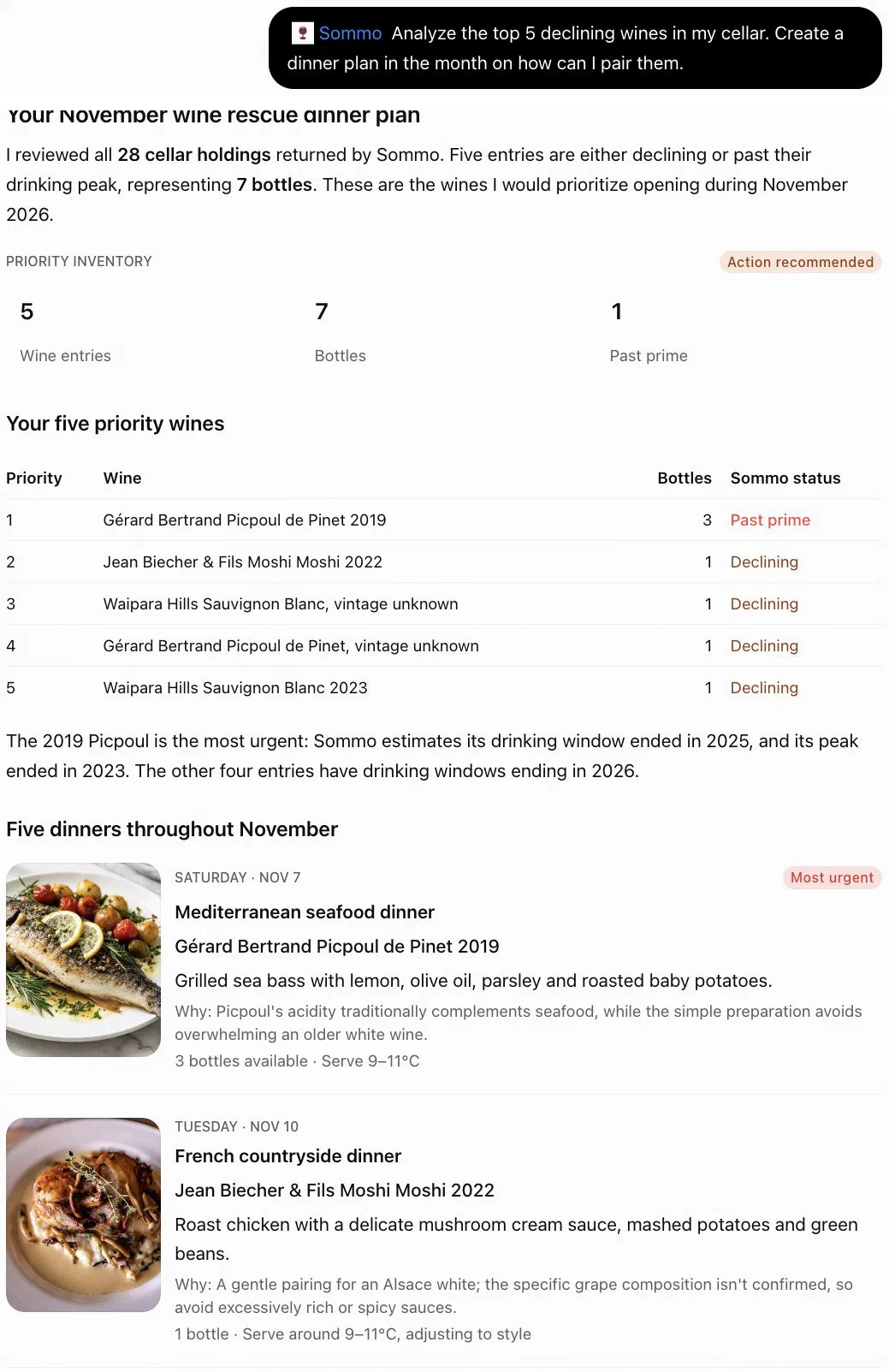
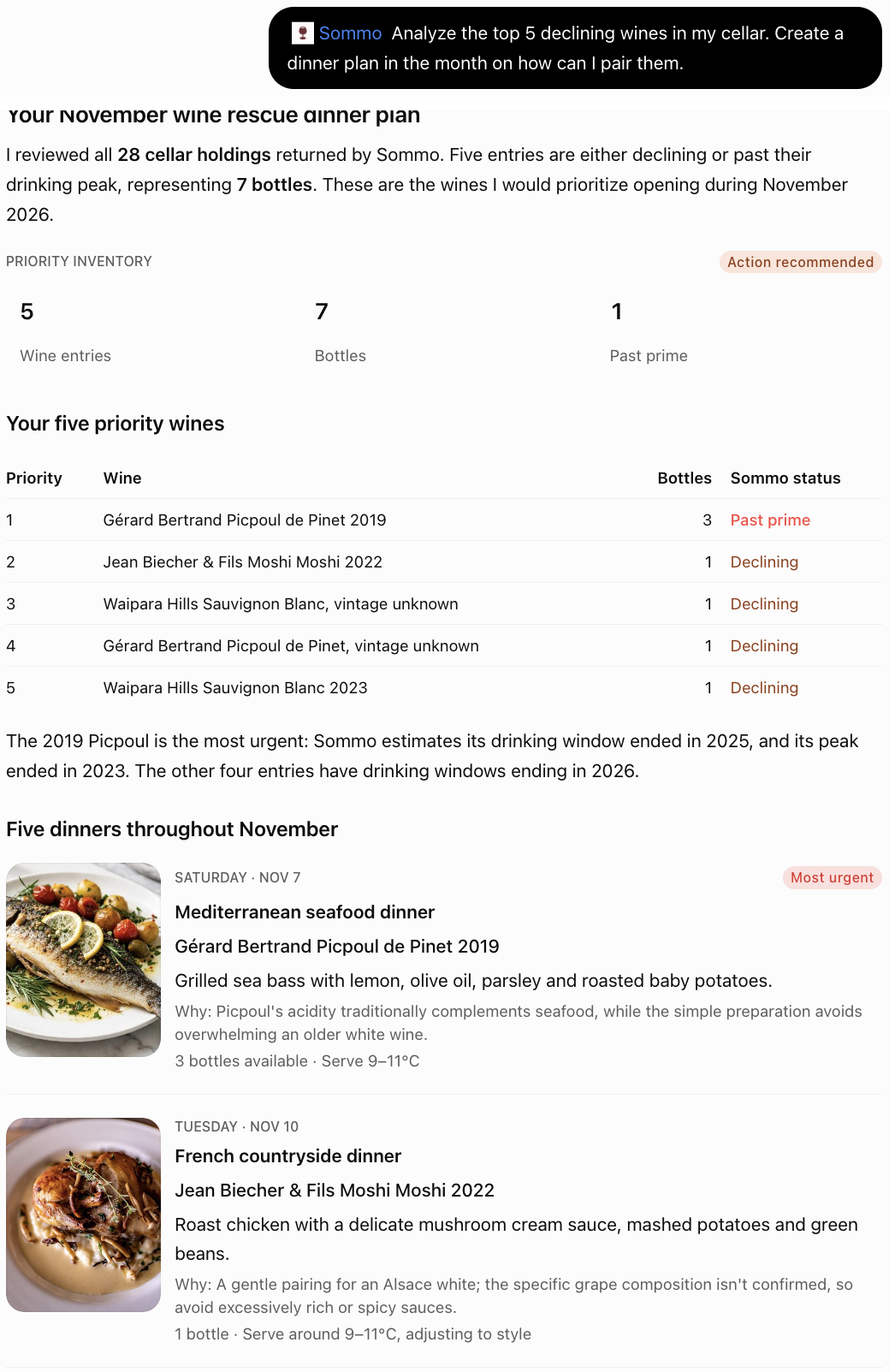
The result, headed “Your November wine rescue dinner plan”, reviewed 28 holdings and prioritised these five entries:
| Priority | Wine | Bottles | Screenshot status |
|---|---|---|---|
| 1 | Gérard Bertrand Picpoul de Pinet 2019 | 3 | Past prime |
| 2 | Jean Biecher & Fils Moshi Moshi 2022 | 1 | Declining |
| 3 | Waipara Hills Sauvignon Blanc, vintage unknown | 1 | Declining |
| 4 | Gérard Bertrand Picpoul de Pinet, vintage unknown | 1 | Declining |
| 5 | Waipara Hills Sauvignon Blanc 2023 | 1 | Declining |
The “1 past prime” counts an entry containing three bottles. Saturday 7 November 2026 paired the 2019 Picpoul with Mediterranean seafood; Tuesday 10 November paired Moshi Moshi 2022 with a French countryside dinner. These were proposed meals, rather than booked events.
One dinner in detail, with possible next steps
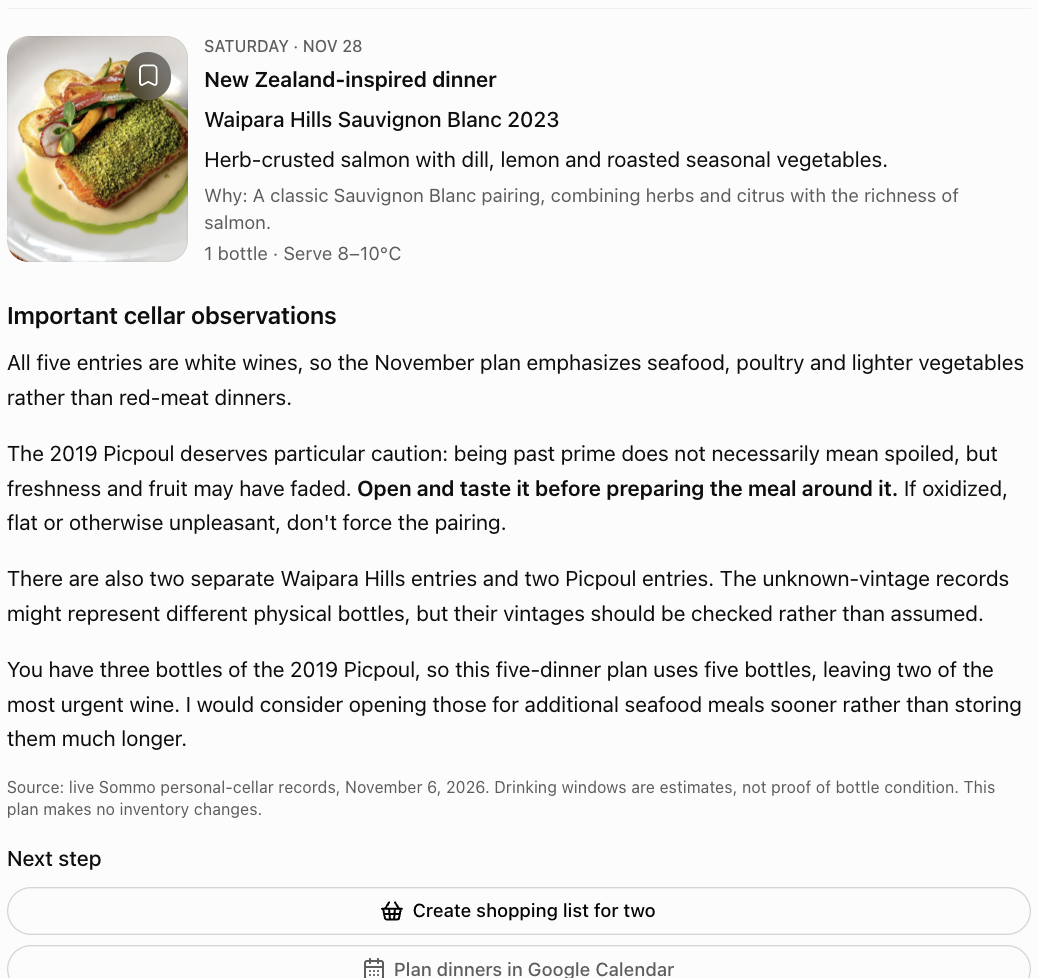
Saturday 28 November 2026 proposed a New Zealand-inspired dinner with Waipara Hills Sauvignon Blanc 2023 and herb-crusted salmon. All five entries are whites. Drinking windows are estimates, not proof of bottle condition: I would check the past-prime Picpoul before preparing a meal around it. Past prime does not necessarily mean spoiled.
The unknown-vintage entries may represent different physical bottles. I need to verify them, rather than merge them or assume a vintage. Five dinners use five bottles, leaving two of the three 2019 Picpoul bottles. This plan makes no inventory changes.
“Create shopping list for two” and “Plan dinners in Google Calendar” are suggested ChatGPT-side next steps. This example shows no completed list, event, booking, email or print action.
How to connect Sommo in ChatGPT
- Open the Sommo ChatGPT plugin.
- Sign in or create a Sommo account from ChatGPT. You do not need an account beforehand.
- Review the account and requested permissions, then authorise the connection on Sommo.
- With Sommo Pro and cellar records, try my prompt. Results depend on your inventory, available data and access. Free readers can explore supported journal and Level 1 materials within the plan limits.