Vivino suits buying guided by community ratings and a marketplace. CellarTracker suits collection records alongside community tasting notes. Both can track bottles you own, so the choice is about the routine you want, not a simple split between scanning and inventory.
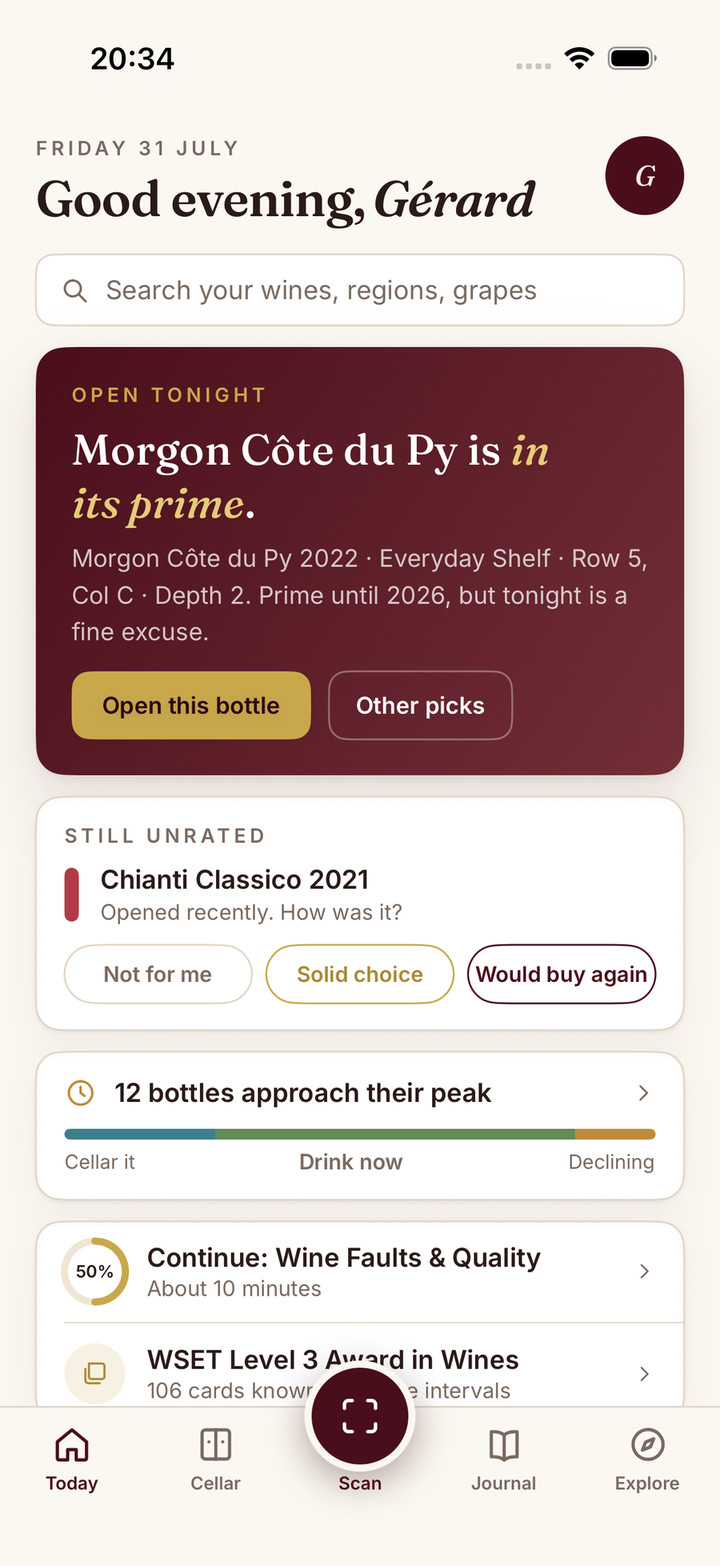
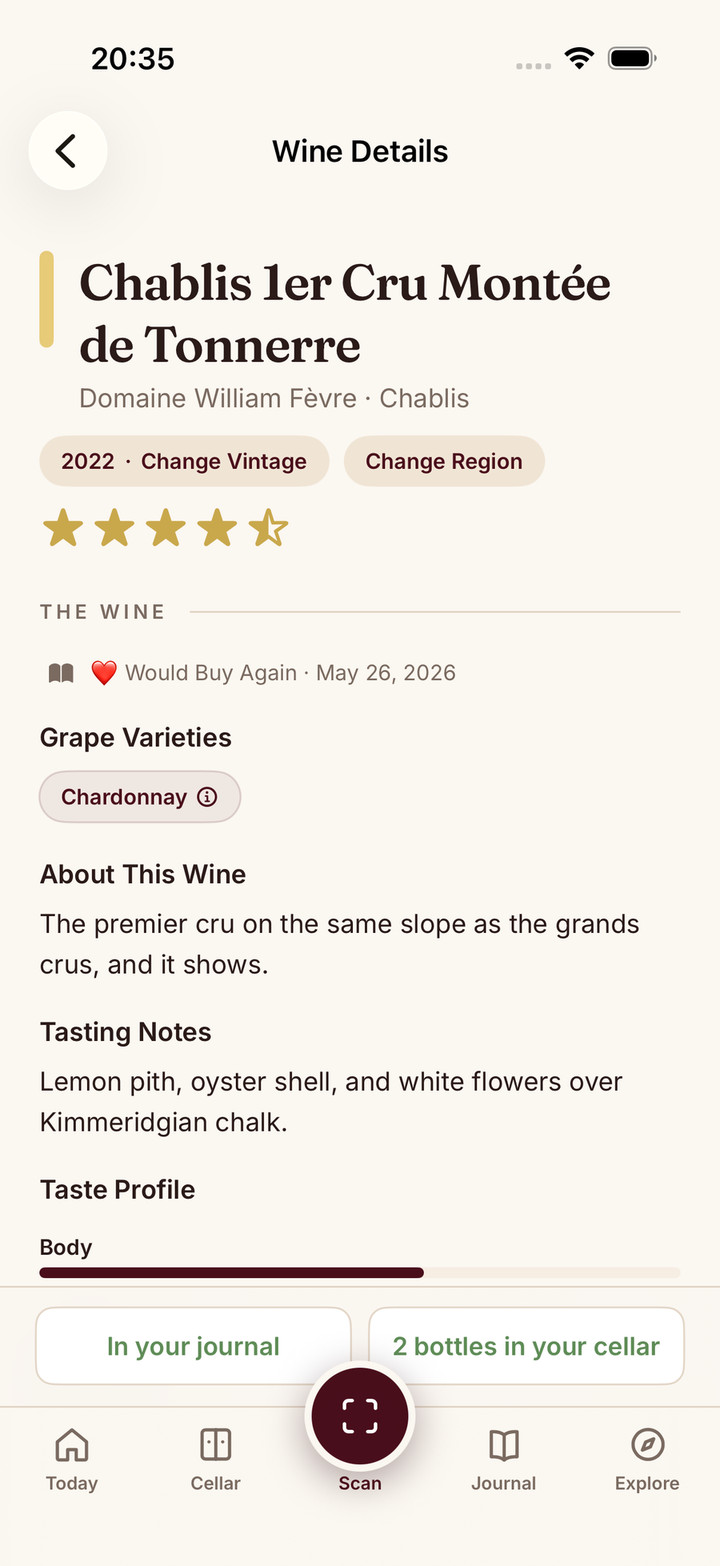
If you want a visual cellar, personal journal, food pairing and wine learning together, Sommo is the third option to try. This comparison is published by Sommo; the differences below will help you decide which approach fits your own bottles.
Compare the work you want the app to do
| Your task | Vivino | CellarTracker | Sommo |
|---|---|---|---|
| Identify a bottle | Label recognition with ratings and personal recommendations | Wine research through community ratings and notes | Label scanning with context on grapes, region, style and pairing |
| Keep a tasting record | Personal ratings and free-text reviews | Personal notes alongside collection and community records | Personal journal, structured tasting notes and palate insights |
| Find wine at home | Free cellar tracking with quantities and vintages | Free inventory with Location and Bin fields | Premium custom racks, wall view and bottle positions |
| Choose what to open | Free drinking windows; full Sommelier access is Premium | Subscriber CellarChat and enhanced drinking windows | Premium cellar pairing and Open Tonight |
| Buy through the app | Merchant marketplace | Wine and collection information | No merchant marketplace |
See Sommo’s cellar and tasting journal if that combination fits the way you drink wine.
Vivino plan facts were checked against its product guide on 31 October 2026, and CellarTracker’s against its subscription documentation on 2 November 2026. This is a comparison of documented workflows, not a scanner speed or accuracy benchmark.
Buying: community evidence or your own tasting record?
Vivino brings community ratings, personal taste matching and merchant prices into a buying decision. CellarTracker’s community notes can also inform research into a wine or vintage. In either case, check the producer, cuvée, vintage and bottle size before treating a result as a match.
Sommo starts with an explanation of the wine, then gives you somewhere to record your own tasting. Over time, Taste DNA and Insights help you explore that history. Vivino also personalises recommendations through Match for You. Compare how each app uses your history in the tasks you return to.
If you want merchant prices and crowd averages, keep using a source that provides them. If you want to understand and remember the wines you drink, try Sommo’s journal with your next bottle.
At home: a stock list or a wider wine routine?
CellarTracker offers free core inventory with bottle-level Location and Bin fields. Vivino also lists cellar tracking and drinking windows on Free. Both are relevant if free stock tracking is the main requirement.
Sommo’s Premium cellar adds a visual home for the collection: custom rack rows, a wall view, bottle positions, purchase lots and shared racks. Cellar pairing and Open Tonight help with the next choice, while the journal keeps the tasting record afterwards. Away from home, photograph a restaurant wine list: with Premium, Score Menu gives every wine it reads on the list a quality score. See how Score Menu works.
The reason to choose Sommo is that wider routine. You can find a bottle, decide what to open, record what you enjoyed and keep learning in the same app. The free atlas covers grapes and regions; WSET study offers Level 1 on Free and Levels 2 to 4 on Premium.
Make the subscription decision concrete
Start with the tasks you will use each week. In Sommo, Free includes five lifetime scans per device, journal history for 30 days and WSET Level 1 study. Premium adds unlimited scanning, older journal history, the cellar, pairing, Score Menu and Levels 2 to 4. CSV/XLSX export is free.
Sommo Premium is $4.99 a month or $29.99 a year in the US; prices vary by country and store. Check current pricing and access before subscribing.
For comparison, Vivino lists free label scanning, cellar tracking and drinking windows, with ads. CellarTracker separates free inventory from subscriber tools such as enhanced windows, valuation and CellarChat. Its annual subscription is priced by cellar size, from $40 a year in US dollars, and CellarTracker says there is no penalty for exceeding your tier. Check the current local offer in each product.
Try one small collection before moving everything
Use a sample you can check: two bottles of one red vintage, a different vintage of that red and two whites stored in different places. That is five bottles across three wine-and-vintage combinations.
Check whether you can:
- Find the right vintage and physical bottle.
- Distinguish quantity from the number of different wines.
- Record an opening and see the remaining stock.
- Retrieve your tasting note and meal afterwards.
- Export a record you can understand outside the app.
These are evaluation criteria, not reported test results. Use them to judge Sommo with your real routine and check any feature you depend on before importing a whole collection.
Keep your records when you switch
CellarTracker’s export guide distinguishes individual bottles, aggregated wines and purchases; notes and history may need separate files. For Vivino, third-party guides describe a web export under Settings and Account Management. Its own help page was not reachable when checked in October 2026, so confirm the available fields in your account.
Sommo’s web importer accepts CSV and XLSX. Review a small sample for wine matches, quantities, bottle sizes, locations and note privacy. Journal imports are free; cellar imports require Premium. The switching checklist covers the preview and reconciliation steps. Keep the original files until you have checked the result.
Give your next bottle a home in Sommo
You can try scanning, a journal entry and Level 1 study before choosing Premium or moving your inventory. Start with a bottle you already know and see how its tasting record develops.
Try Sommo Free. For the individual comparisons, read Sommo vs Vivino and Sommo vs CellarTracker.
What do you want from your wine app?