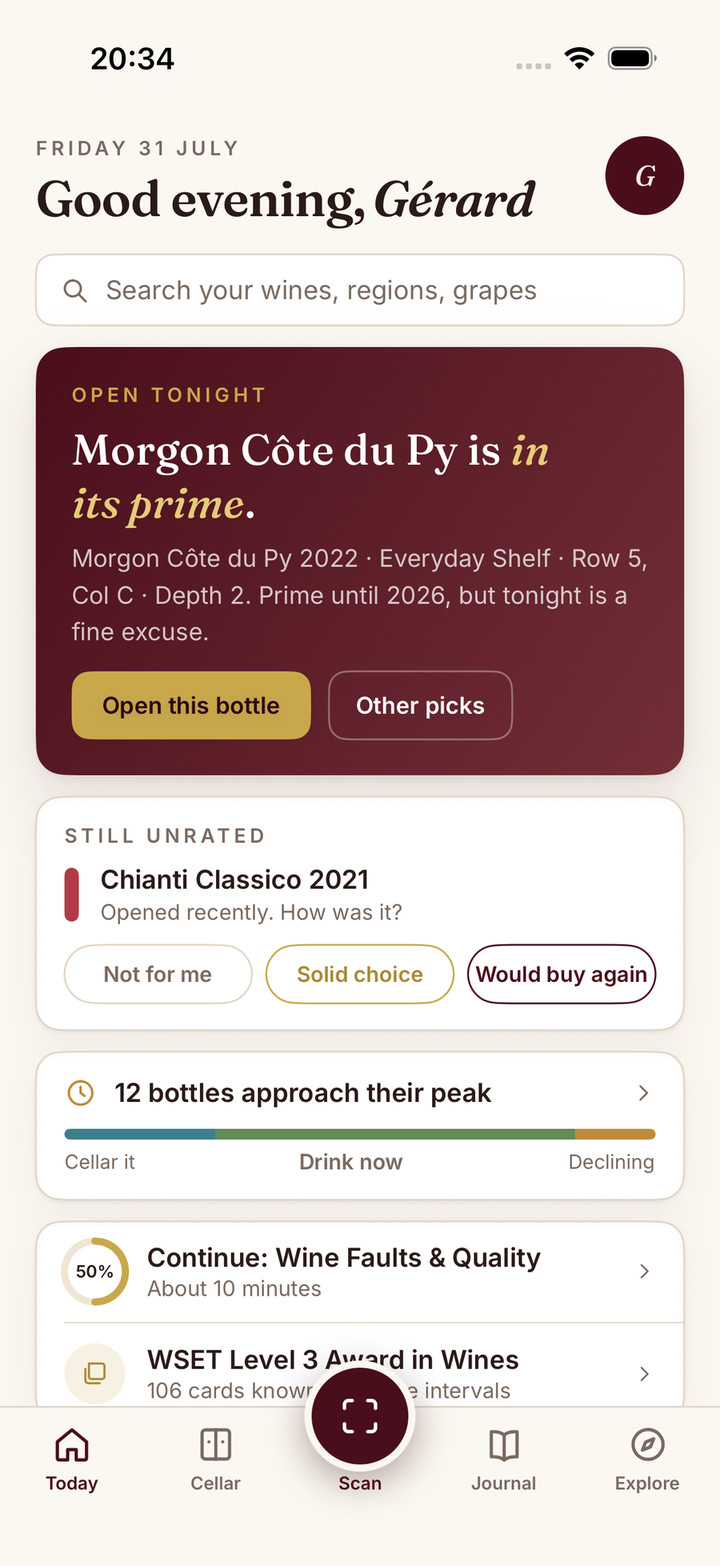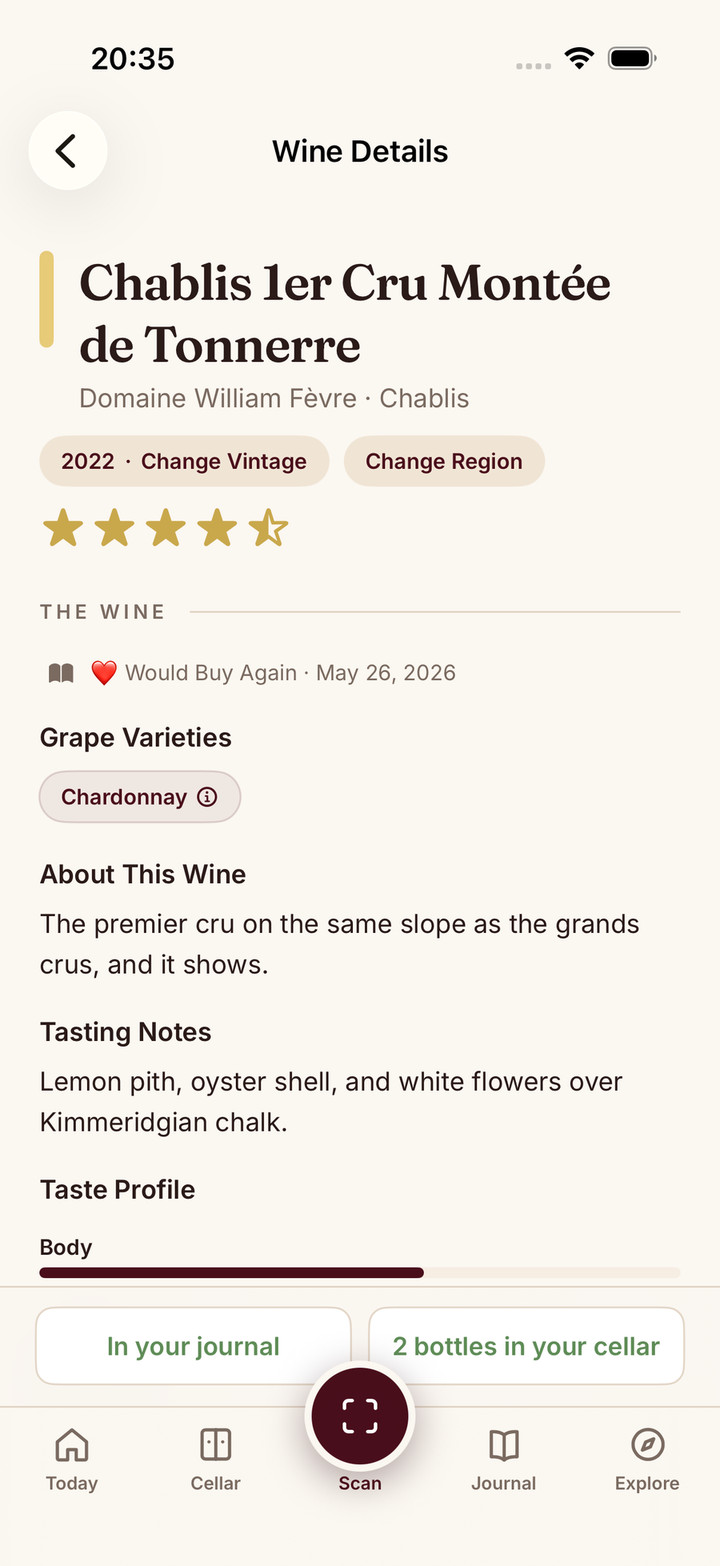
Sommo is now on Android. As of today it is live on Google Play, free to download, and it is the full app. Not a preview, not a stripped-back companion, not a web page in a shell. Every feature that iPhone and iPad users have relied on is here, built natively for Android.
If you have been waiting on the sidelines because Sommo was iPhone-only, the wait is over. Here is what landed, and how I built it.
A true port, not a wrapper
The easy way to ship on a second platform is to wrap the website in a shell and call it an app. I did not do that. The Android version is a native Kotlin app built with Jetpack Compose, the same way the iPhone version is a native SwiftUI app. It is a genuine port of the iOS client, screen for screen, rather than a lowest-common-denominator rebuild.
That distinction matters because a wrapper feels like a website pretending to be an app. It scrolls oddly, it ignores the platform’s conventions, and it treats your phone as a browser. A native build respects the device: proper navigation, real notifications, camera access that actually works for label scanning, and performance that does not stutter when you open your cellar. Sommo on Android should feel like it belongs on Android, because it was built for it.
The whole app, nothing clipped
Feature parity was the whole point. There is no “Android edition” with fewer tools. What you get on Google Play is what you get on the App Store:
- AI label scanning. Point your camera at any bottle and Sommo identifies the wine, the region, and the grapes, then tells you what to expect in the glass. The scanning guide explains how it works.
- A personal tasting journal. Log what you drink with structured notes based on the Systematic Approach to Tasting, and get AI feedback on your palate over time.
- WSET exam prep, Levels 1 to 4. Spaced-repetition flashcards, quizzes, mock exams, and AI study plans. If you are revising, start with the WSET tools.
- A smart cellar. Track every bottle with drinking-window cues, and ask the AI what to open for tonight’s meal.
- An interactive wine atlas. Over 1,000 regions to explore, mark as visited, and read up on.
- Tasting mode and menu scoring. Run a tasting flight, or scan a restaurant wine list and let Sommo score it for you.
The full feature list is the same list, whichever phone you are holding. Your account, your journal, your progress, and your subscription all sync across iPhone, iPad, and Android, so you can start on one device and pick up on another.
The same wine-tuned AI
The engine underneath is what makes Sommo different, and it is identical on Android. Sommo runs on proprietary wine-tuned AI built and owned by us, grounded against a maintained wine library rather than rented by the query. If you want the detail on how that system is built and tested, it is on Under the Hood and in the knowledge-graph write-up.
Android users get every language too. The interface and the AI both speak ten languages, so Sommo works in yours, not just in English.
Why Android took a moment
Sommo started on iPhone because I am one person, and shipping one platform properly beats shipping two badly. I wanted the iOS version to be genuinely good, tested, and stable before splitting my attention. Once it was, the Android port became the priority, and I built it to the same standard rather than rushing a half-version out of the door.
The result is an app I am comfortable putting my name on. It is the reason this took a little longer than a wrapper would have, and the reason it feels right.
Pricing stays the same
Nothing changes on cost. Sommo is free to download, with five lifetime label scans, full atlas access, a 30-day journal, and the fundamentals learning module. Premium unlocks everything, unlimited scans, all learning modules, the full WSET suite, the cellar, tasting mode, and menu scoring, for less than a glass of decent wine a month. On Android, billing runs through Google Play. Google Play Family Library does not share in-app purchases, so it does not extend an Android Premium subscription to another person’s account.
No ads on either tier. Sommo does not sell your data. That was true on iPhone and it is true on Android.
Get it
If you are on Android, download Sommo from Google Play and sign in with Google or Apple. Your account is created automatically, and you can scan your first bottle straight away.
If you are on iPhone or iPad, nothing changes for you, though you can now recommend Sommo to the Android users in your life without an asterisk. And if you are curious about what is next, a native HarmonyOS build is the following step. There is more on the Sommo for Android page.
Thank you to everyone who asked for this. It is finally here.